×
  • News
  • Reviews
  • Guides
  • Features
  • Videos
  • News
  • Reviews
  • Guides
  • Features
  • Videos
Log in / Register
HARDWARE REVIEW

Razer Blade 2016 1060 GTX Review

by Luke Walsh, December 28th, 2016

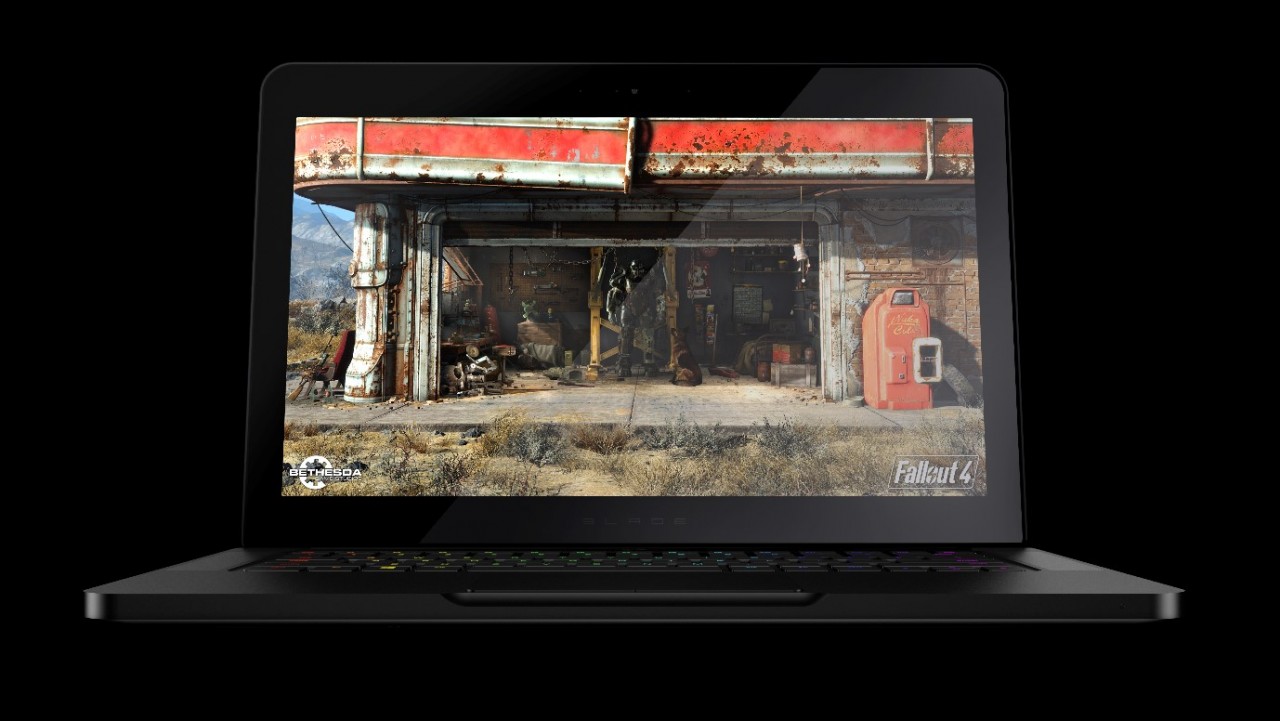
Razer has been in the laptop game for a while now and have recently updated their Blade range with the new Razer Blade GTX 1060 which comes with either a 14 inch QHD screen or Full HD screen. The Razer Blade 2016 model is their mid-tier version which includes the more portable Blade Stealth and the power-heavy Blade Pro. The importance for gamers is that this mid-tier gaming machine is the best balance between power and portability with Nvidia’s also mid-range graphics chip, the GTX 1060 GPU.

The Razer Blade comes with a desktop not mobile version GTX 1060 with 6GB of GDDR5 VRAM rather than the 3GB version that is also on the market with a lower clock speed and fewer CUDA cores. Even if you compare the chip to the previous Blade GPU which was the mobile 970M it is a lot less powerful than the new beast inside the 2016 model of the Blade. In Razer’s own tests they have managed to get the card to benchmark a whopping 9234 in Fire Strike compared to the 6,000 levels of the previous card. We will go into our benchmarks a little bit later on and see if we can also get a realistic score close to what Razer have been able to achieve.

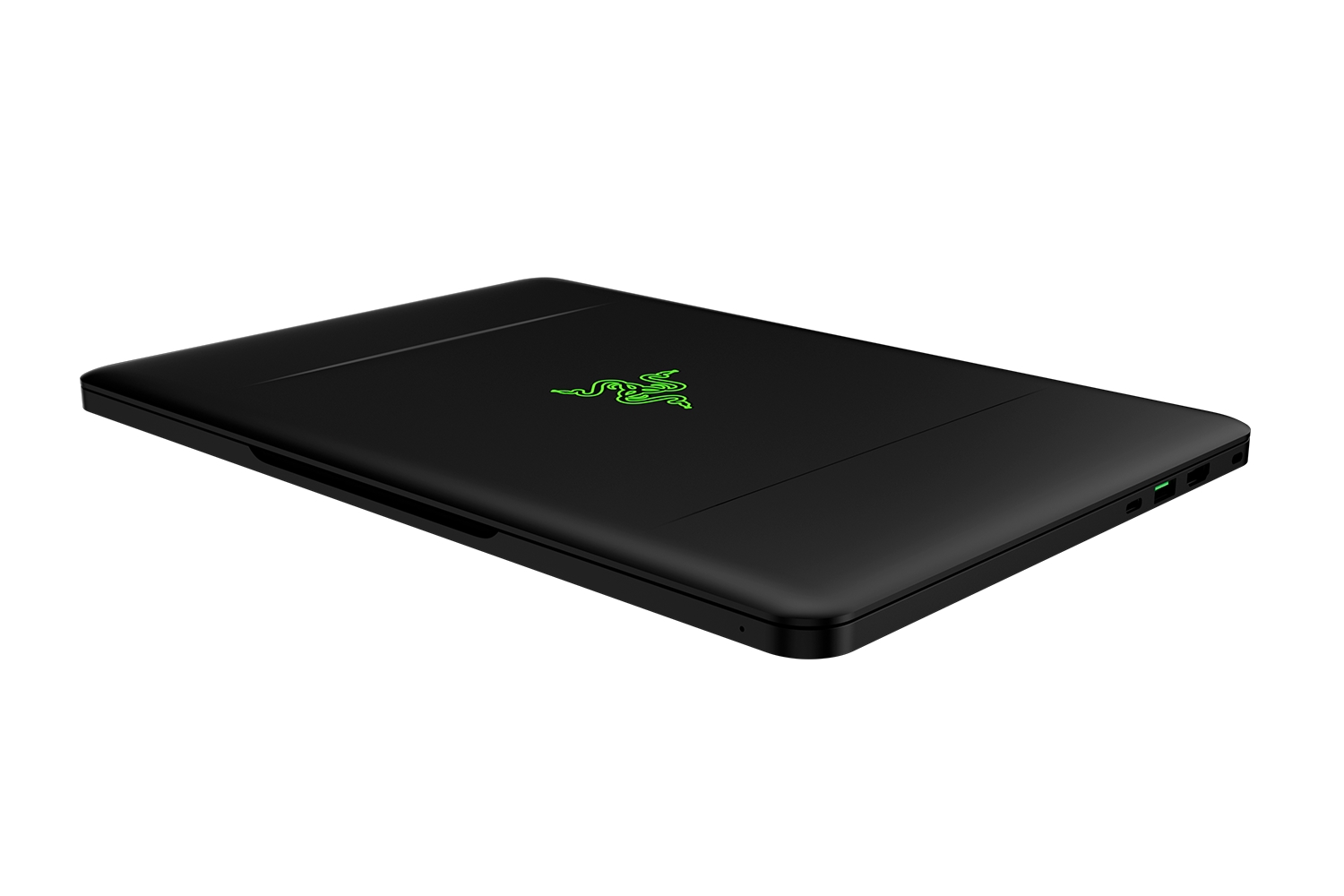
In terms of design, it has not changed much compared to its predecessors. The overall matte black casing is still impressively thin considering what’s inside and is made from a light CNC aluminium shell making it pretty tough. From a weight perspective it comes in at 1.89kg which is impressive as my Surface Pro 3 is only 1kg lighter and packs not even 20% of the firepower. Compare it to the MacBook Pro which weighs around 2.06kg, it wins hands down. Thickness of the Blade only reaches 17.9mm which is impressive when the MacBook Air only makes it to 17mm. For a desktop grade GPU to be sitting inside its frame, it surprising they have managed to get the formfactor so slim. It does seem to be a magnet for fingerprints though and probably not helped by the fact is it matte black, but as far as casing goes it is rock solid and a great design with no fuss. Just have a cloth to hand to wipe it down every so often.

All the Razer Blade models feature a 14 inch display but the hardware specs differ depending on which one you pick up. The cheapest option is the matte IPS panel with a full HD screen 1920×1080 resolution, which is the one we tried out in this review. Compare that to the most expensive option, with a QHD+ touchscreen with a resolution of 3200 x 1800. Other extra’s which can change the price is the size of the solid state drive with options ranging from 256GB to 1TB.
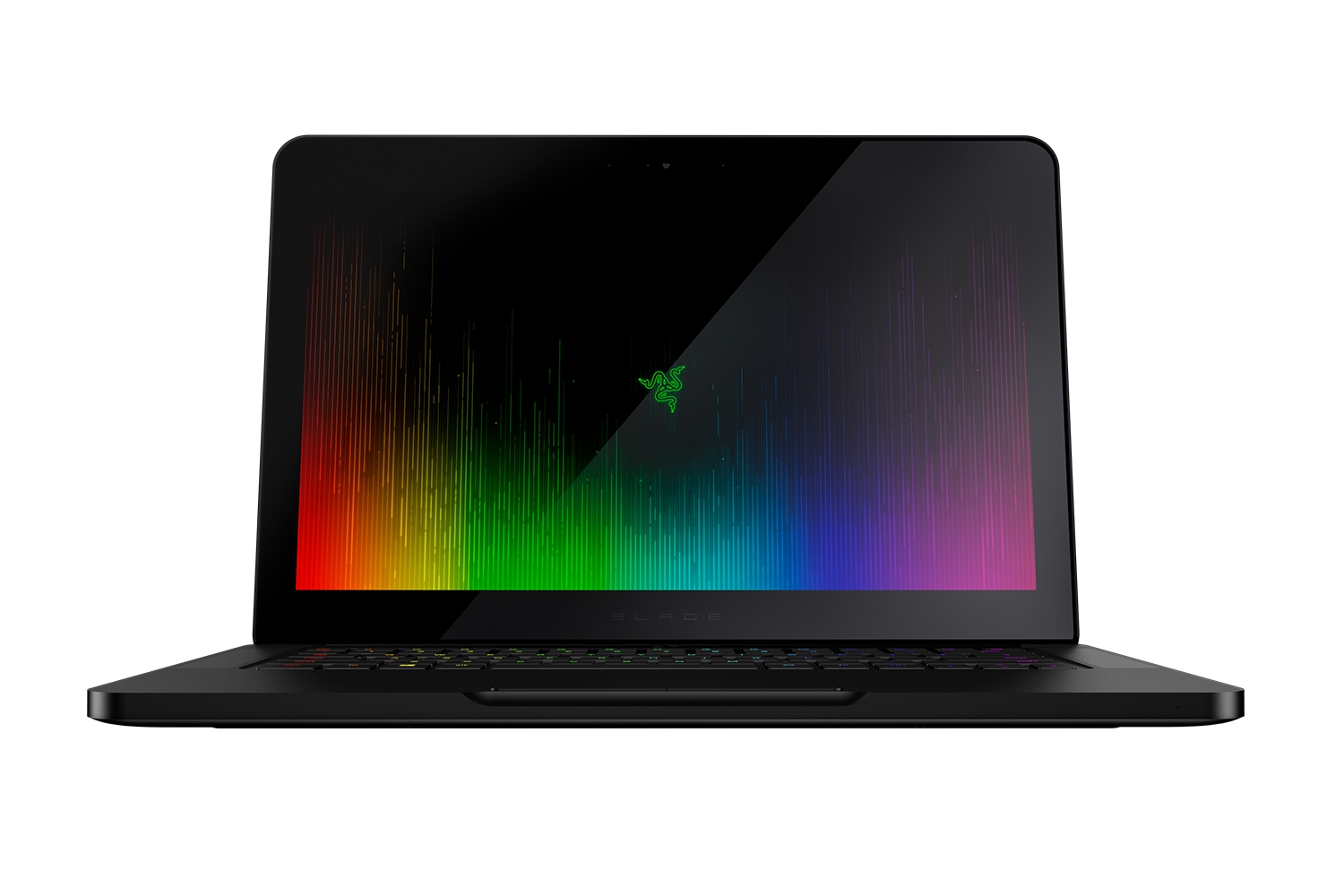
The contrast of the IPS screen could be better only being 380:1 and the blacks are not as good when at full brightness but colour temperature is pretty accurate at 6500K. The screen itself is very vivid and light colours are impressive but gamers who play a lot of low light games or movies will probably want the opposite. I did notice the screen size when gaming, although it is a portable machine you do yearn for a little bit more around the edges, especially if you are used to 27 inch plus gaming. Touchscreen is an optional extra but for the price difference it really is for those who want all the bells and whistles even if they may not ever use it. The extra pixel resolution is a big bonus on the QHD+ screens and although I did not try it, I was wary that it may have made the screen feel even smaller in 4K.

All variations comes with an Intel 6th Gen processor core, the i7-6700HQ and will be factory clocked at 2.6GHz but you can push it to about 3.4Ghz – 3.5Ghz before it becomes unstable. The machine also features 16GB of 2,133Mhz DDR4 RAM (soldered to the board) and SSD storage options ranging from 256GB, 512GB and 1TB. With our test machine we were given the 1TB version and it is nice to have a decent size of storage available with an SSD making games and Windows 10 load super fast, in about 5 seconds actually.

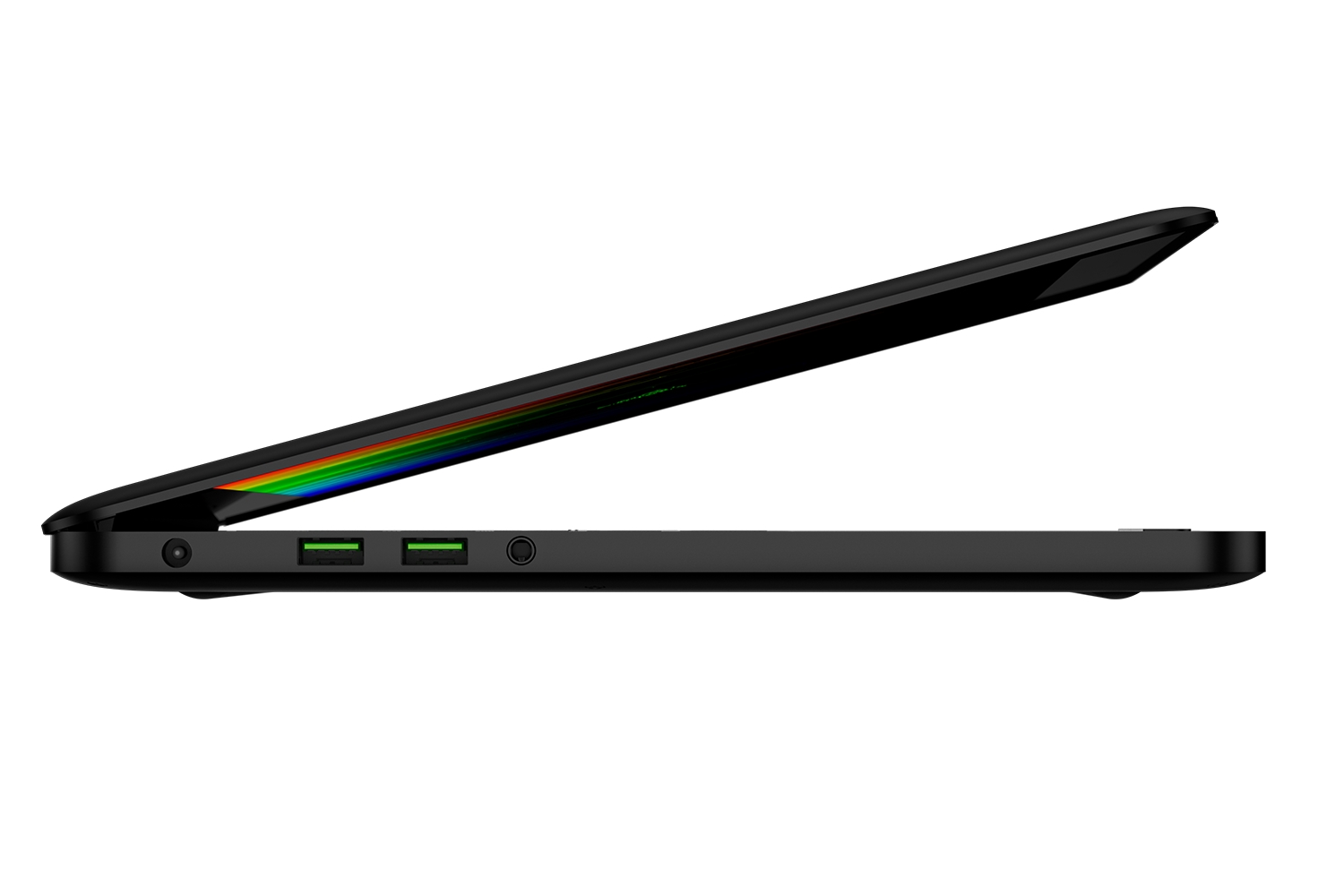
In terms of full on connectivity there is 3x USB 3.0 ports, a Thunderbolt 3/USB-C 3.1 port, HDMI 2.0 and a Kensington lock slot. The most interesting and important port out of them all is the Thunderbolt port which is able to get speeds of up to 40Gbps, providing up to 4x times the amount of data compared to other cables. The main use of this port is to connect Razer’s flagship product for extra processing power the Razer Core. This allows you to connect external graphics card to the Blade and feed even more GPU power into the machine for video editing or 4K gaming (if you have the QHD+ model). For wireless it features a Killer (that is the name of the chip) Wireless-AC which is WiFi 802.11ac and Bluetooth. The WiFi will be good if you are out and about but when you are at home, it is a shame they did not also include a Gigabit Ethernet port. Seen as it is a gaming machine, if you play video games online you’d probably not want to use the wireless no matter how good the chip is. You could buy an adapter but for the price, I did expect one to be included, there are also ways of making sure it does not affect the overall dimensions of the casing so a no brainer why they missed it out really. More so they should of included one in the box after forking out up to £2649.

The keyboard is your standard Razer affair but comes with Chroma lighting to back up their range and can be configured with Razer Synapse, that comes pre-installed with the machine. You do need to sign up with a Razer account to use it and Synapse still is not the best of software but works. You can find all the usual options that would be on other Razer products where lighting can range from a solid colour, react to your key presses or give wave or rainbow effects. The Razer Logo on the back of the screen is also lit and can be turned on or off. The keys themselves have a pretty short actuation point and are about 1.3mm which is thinner than their previous models. When pressing them though, they are nicely cushioned and give a little click without being noisy like a standard mechanical keyboard.

The biggest issue with the backlighting has to be the fact the secondary key symbols don’t also light up. When you press FN, the respective keys shine while other keys dim  which is a nice effect but if you want to see the @£$ signs, then you better make sure you have your touch typing down because they are opaque with no lighting. Such a simple miss from them as it would make sense to have all of them light up or better do the same with the FN keys where they only light up when shift is pressed, that would be a nice little touch and useful. The biggest irony is you can’t even see the brightness controls in the dark to affect the light levels of the keyboard.

Trackpads can be a difficult thing to get right, with some wearing away but the Razer Blade has a nice glass trackpad which has a similar feel to a Mac. It has two buttons, both are very responsive and give a decent pushback and click. Sizing wise, the trackpad is nice and large but the “mouse buttons” are a little thin and would be better off being just a bit thicker.

Razer Blade 2016 1060 GTX Benchmarks

In our benchmarks we used three different tests; FutureMark 3DMark the FireStrike Test, Geekbench 3 and we played Dishonored 2 and Battlefield 1 on high and medium settings.

The Razer Blade really is one of the most powerful gaming laptops you can buy on the marketplace today. With the 2016 edition, the updated graphics is a much bigger step up than the previous model and this more apparent with the shift from the 900 generation of cards to the 1000 series. The benchmark results really speak for themselves.

In the 3DMark FireStrike benchmark, scores were some 2000 points more than the previous Blade model reaching a total of 9156. This will mean that most of the 1080p games will give you a steady framerate and should last you. It is important to mention that not all games on the market will survive the steady framerates whacked up to full but for most games you should not have to worry.

In GeekBench 3 we saw a score of OpenCL score of 12,1207 which sits nicely between the other benchmark scores of other cards above the GTX 980 (11,4880) but below obvious ones like the Titan X (12,6384).

When playing Dishonored 2 on high settings the fps was around 45 while on medium it was 53. Compare that to Battlefield 1 on the frame rates were better still, with the high settings getting to around 60 fps and 78 fps on medium. Even when both of the those games were set the ultra the frame rate never dropped below 30fps which shows how good the Blade is with the current game lineup.

If you put gaming to one side, you’ll also be happy to know that the Blade 2016 model will be able to handle pretty much any other task you throw at it. Using Photoshop it worked without issue or lag even when zoomed in and moving around big files. This makes the Blade a very strong contender to the MacBook Pro for creative professionals who first thought might be to get a MacBook.

It is also worth mentioning day to day tasks with the SSD and 16GB ram allow you to have an insanely huge number of internet tabs open. You could even open more Excel spreadsheets than you’ll ever need and write 50 Word documents and not have to suffer drop in performance. You could try all these at once but I am unsure if anyone is that good at multitasking.

Battery Life Benchmarks

When an Ultrabook with a desktop graphics card is created, the life of the device is brought into question to see if it can stand for longer than 5 minutes away from a steady supply of juice. With Intel and Nvidia’s increased gains in power management and Razer’s improvements on thermal dissipation, the battery life lasts pretty well.

Playing Dishonored 2 on a full battery I was able to get a decent amount of time out of the device of the power, totally around 2.5-3 hours with a screen brightness at 50%. This may not seem like much but, for a machine which needs so much power to keep up its performance this was longer than other devices I have used in the past. In benchmark tests using PCMark 8 we got around the 5 hour mark but using the device outside of testing conditions it will differ greatly depending on your useage. If you are looking for a gaming machine that can play the latest games on and give you more than 30 minutes, the Blade is able to stand up pretty well.

Overall, the Razer Blade 2016 is a testament to making portable laptops closer in performance to traditional desktop rigs. Razer have to be praised for the continued attention to detail when it comes to their products and this specific piece of kit is no different with superb build quality and design.

With the inclusion of the Thunderbolt 3 technology and the latest in graphical hardware, the Razer Blade is a realistic and appealing option for gamers who are looking to move away from a clunky desktop PC or creatives who need power and portability. More so if you want the extra graphical power output using the Razer Core.

Really the only downside is the cost which makes it still a pretty niche and unattainable product to the masses. It is true that you can get the same levels of performance for hundred of pounds less but you lose out on the refinement and the sleekness Razer offers. Compare it to the competition in the same space and Razer clearly show what they are out to achieve, beauty and power combined.

The Razer Blade 2016 is the most powerful and well crafted laptop they have ever created which is the MacBook Pro of the Windows ecosystem and should get all attention it deserves.

9
If you are looking for something that looks sexy and packs more punch than you have seen in previous gaming laptops, the Razer Blade 2016 edition is something you should definitely check out. Just be prepared to part with some serious cash if you want some serious portable firepower.

Filed under: hardware laptop Razer Razer Blade

noblechairs X Marvel collab on a Iron Man themed gaming chair
SecretLab Release ‘Gold Standard’ Of Gaming Chairs, 2020 Series
Nitro Concepts S300 EX Gaming Chair Review
ASUS Announces All New Smartphone ZenFone 6
ROCCAT Releases Taito Control and Sense Vital Force Wide Mousemats
Roccat Khan AIMO Gaming Headset Review
Razer Release First Xbox One Keyboard & Mouse, Razer Turret
BenQ PD2700U 27-inch UHD Designer Monitor Review
Roccat Kone Pure Champion Grade Gaming Mouse Review
LucidSound LS25 Esport Gaming Headset Review
Powered by Magic
  • VGU
  • Platforms
  • Features
  • Reviews
  • Games

© 2025 VGU.

Insert/edit link

Enter the destination URL

Or link to existing content

    No search term specified. Showing recent items. Search or use up and down arrow keys to select an item.