×
  • News
  • Reviews
  • Guides
  • Features
  • Videos
  • News
  • Reviews
  • Guides
  • Features
  • Videos
Log in / Register
HARDWARE REVIEW

Razer Turret Review – Steam Link and Living Room Gaming

by Luke Walsh, March 16th, 2017

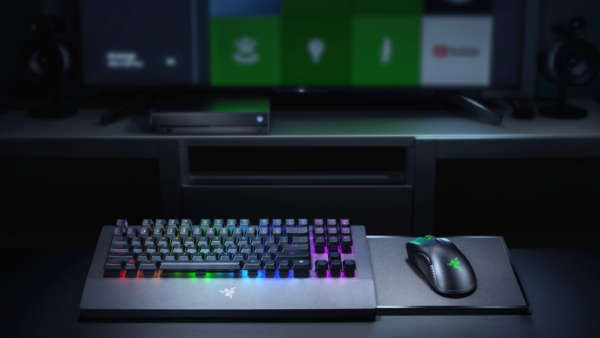
As the title of this review suggests, the Razer Turret is designed for the current era of being able to play video games from the comfort of your sofa. With micro PCs, Steam boxes, the Steam Link, Nvidia Shield and a whole host of other ways it has never been easier to game from your living room. If you want to play at your peak performance or are part of the “Master Race” and still want to gain access to your whole library, the proper equipment is needed. Razer’s solution to this is a fully wireless keyboard and mouse combo (priced at £149) and comes pretty close to perfect couch gaming.

The only other “sofa gaming” alternatives I can think of in the games market at the moment are the Roccat Sova and the Corsair Lapdog. Form factor is the biggest difference between the Turret and those mentioned, the competition has massive lap tray type devices but Razer’s is more of a plank that sits across your legs. It is definitely the neatest and well-built solution out in the retail space at the moment.

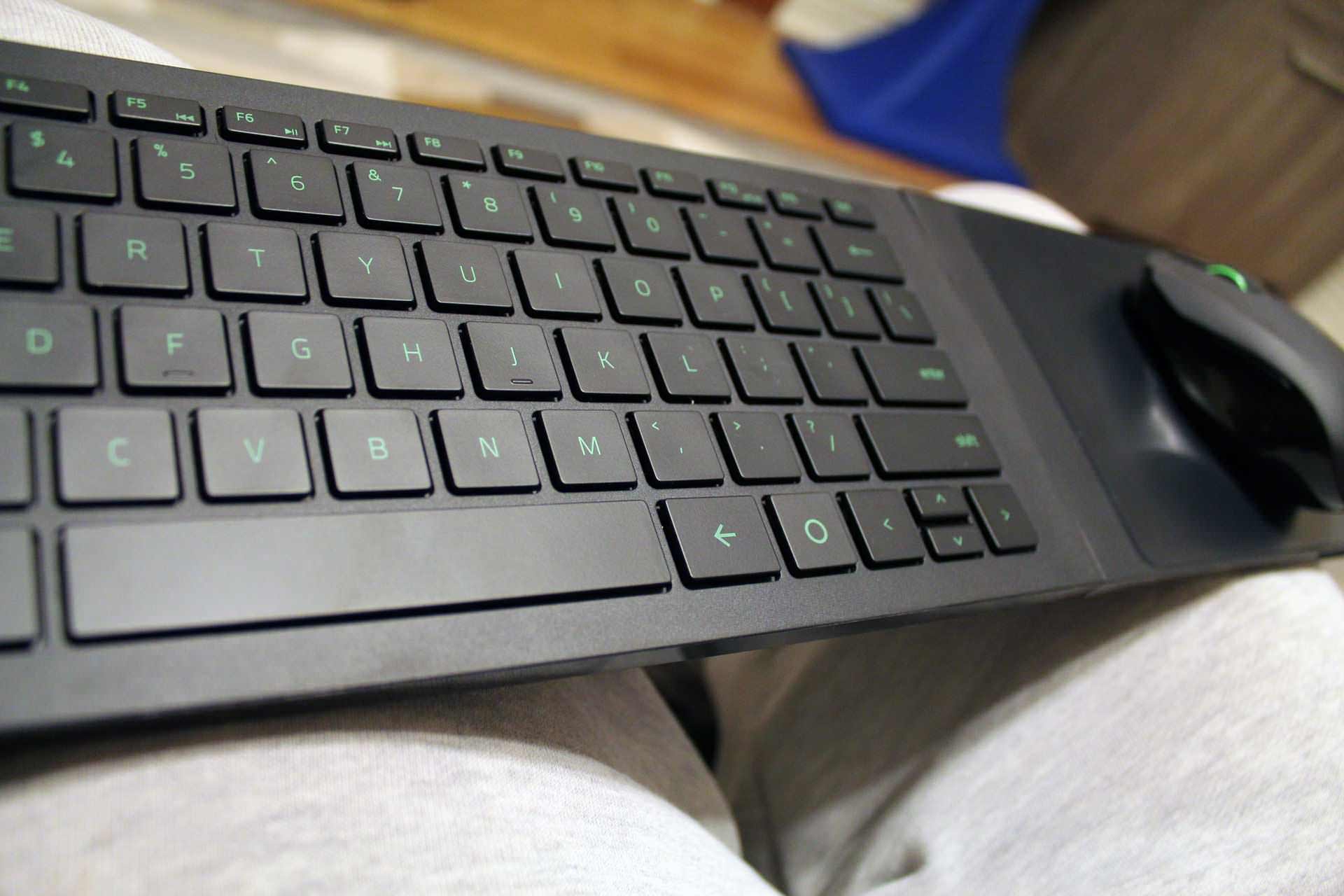
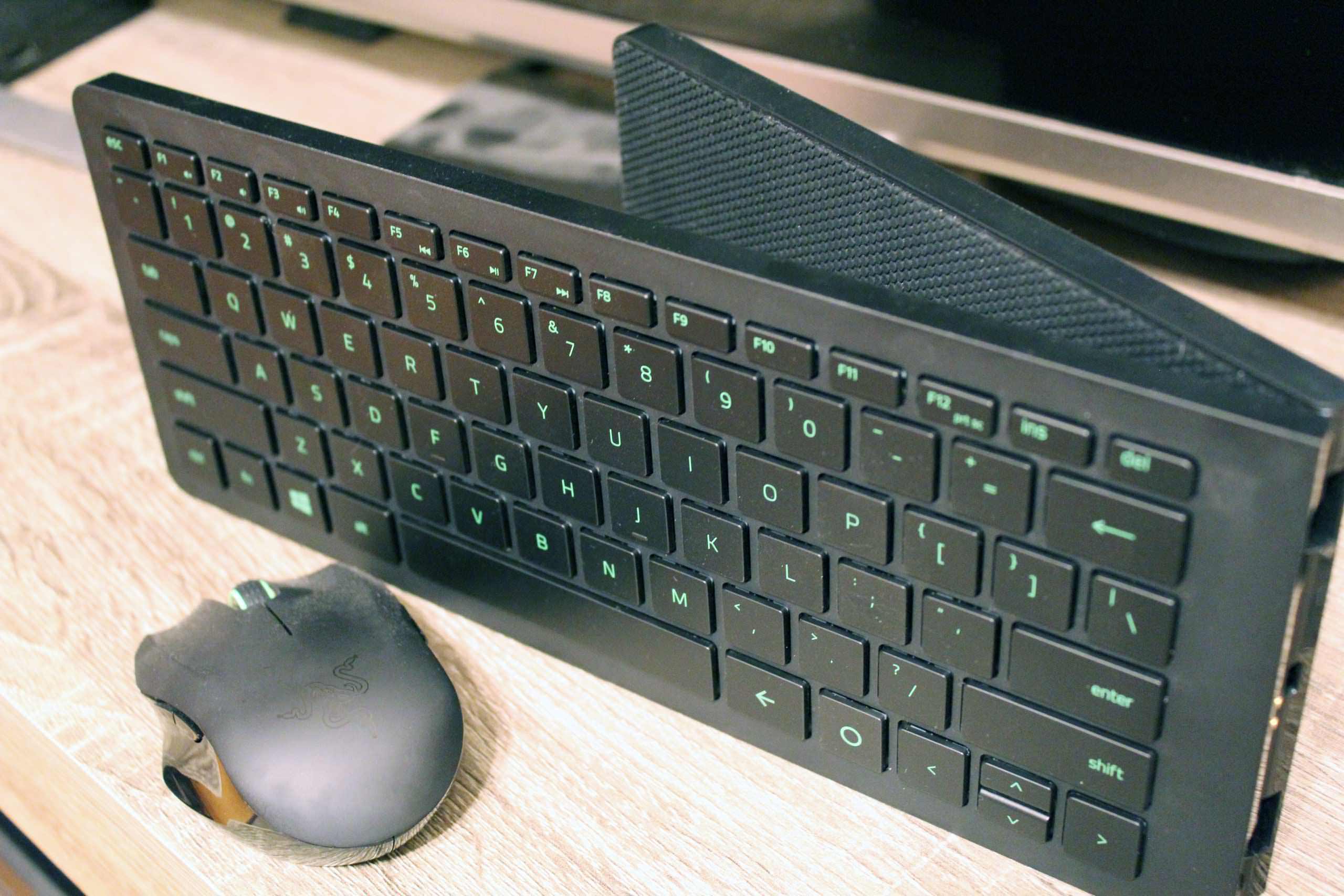
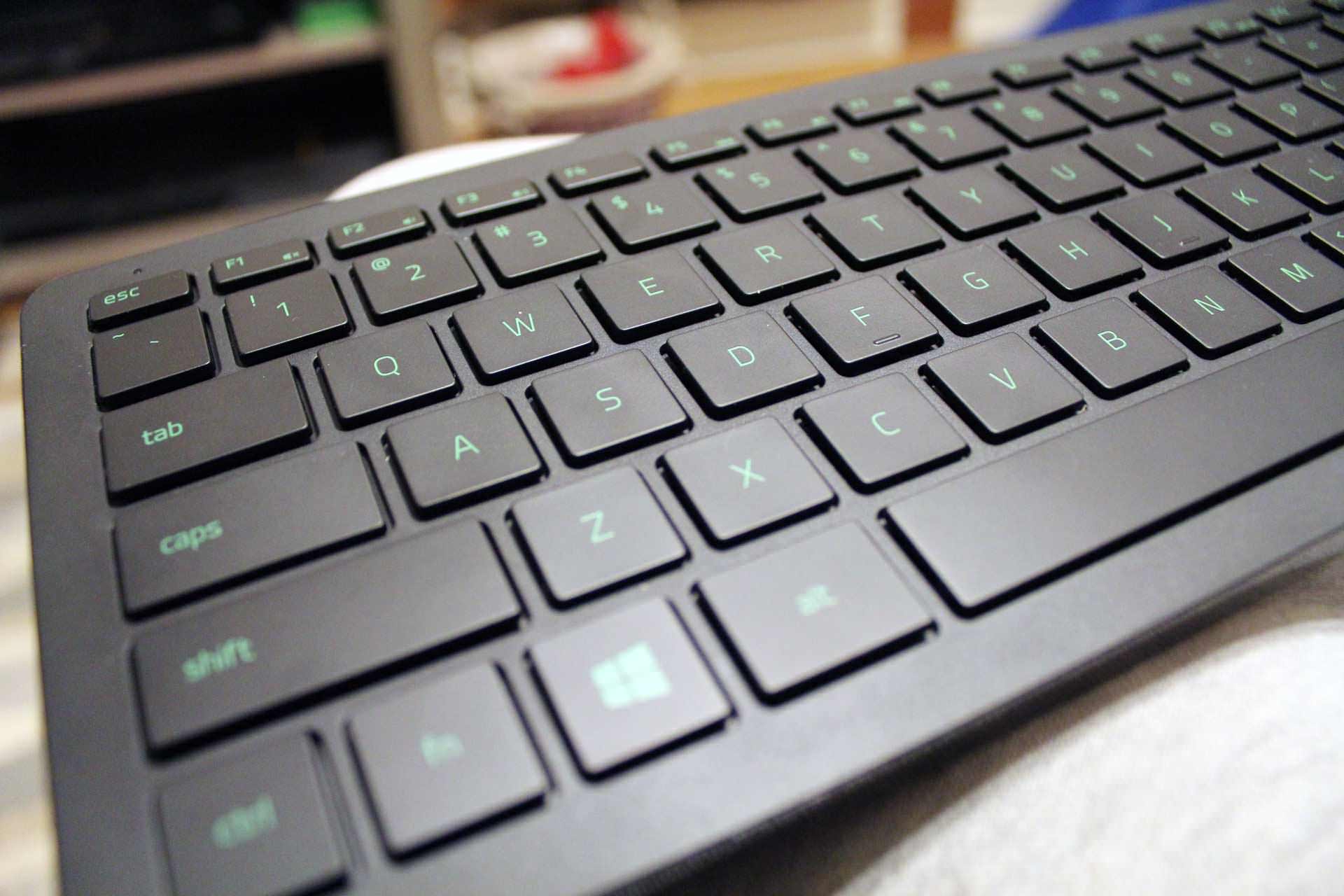
Razer is always able to make devices that others already sell and effectively streamline them with the Turret being not different. Razer has taken the slender and minimalistic approach taking away everything you would find on a traditional gaming keyboard and dialling it way back. This makes it more in line with how you expect a laptop keyboard to be with the chiclet keys. Although they keys are not mechanical, they are tactile for your gaming needs while sitting across from your living room TV or browsing Facebook on Windows 10. It might not be the fancy of hardcore gamers though with the low profile keys and those cemented in the mechanical keys to rule them all circles.

When I mentioned minimalistic I was not kidding. Razer has done away with macro keys, dedicated media controls and RGB backlighting. Removing the backlighting was probably the strangest move to make as pretty much all their other product range has some form of colour. It also means that if you like to game in dim lit conditions you will need to turn your lamp on and have it next to your lap. If you really think about it though, LEDs take up space and the Razer Turret is really thin and light making it the ideal buddy to have sitting on your laptop for a couple hours at a time. Along with the wireless, you are not stuck to the sofa and are able to easily get up move around and refill your Mountain Dew and Doritos.
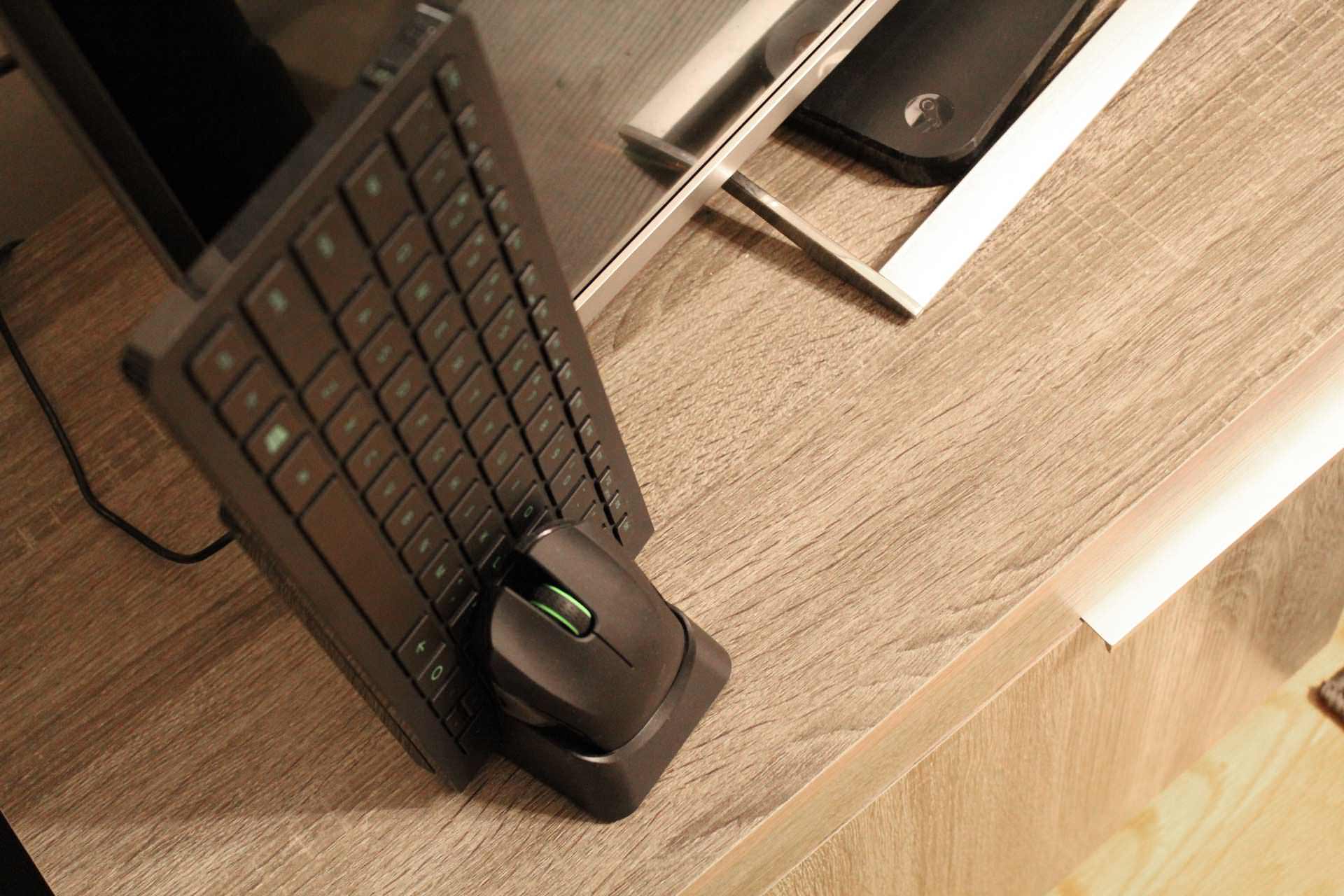
Something I really enjoy about Razer is they think about function and design together being able to meld the two effectively. Rather than being one solid line of keyboard and mouse surface, the two break at that point being able to fold. Not only does this make it much smaller you can carry it around with you and use it with other devices such as the Surface Pro, it can also be mounted back into its dock (charging) tucked tidily behind your TV. You may want to believe that the point at which it folds is flimsy but the Turret is solidly built and has texturised rubber underneath to help with gripping to your trousers.

Moving on to the mouse, it is the size you’d normally find as travel mice, I was able to use it fine without any problems but I think big handed palm grip gamers might find it tough to use. Claw grippers won’t have much of a problem as will the smaller hand population. The Turret is also partly magnetic to help it stay connected to the mousepad. Although you can’t turn the Turret upside down and have the mouse firmly in place with it falling off at about 25ish degrees. I think it is sticky enough that on your lap it won’t slide with your magnets interfering with the fluid motions you’ll make. It is a shame though you can’t swap for another mouse as the magnetics in the mousepad mess with the tracking of other optical sensors.

As far as the wireless goes it is lag free, latency free and you have two different wire-free connectable options in the form of Bluetooth and 2.4GHz. I mainly used the Turret for Steam Link gaming and when it was connected on 2.4GHz I had no problems when a couple feet away and the Steam Link behind the back of my TV. Tracking in the Link took some tweaking as you don’t get to use any standard DPI options but in the settings, you can set how reactive you want input devices to be which allows you to get the right sweet spot. Even on Bluetooth, the connection was solid, the only real downside is with the technology itself only working about 10 metres before you lose connection.

Battery time from the Razer website states that you can get up to 40 hours worth of playtime out of the device and although I did not time my sessions, it has not needed to be charged after about 25-30 hours of gaming. Even if you do need to charge it, the dock is really easy to keep the two devices in top shape. The keyboard slots at the back with two metal connectors in the base and the mouse sits just in front in a cupped dock.

Talking more about the Steam Link and the Razer Turret, I tried many alternatives of wired keyboards, mice and the Steam Controller itself. Steam’s official controller works pretty well for a lot of games but there are just some that fundamentally need a keyboard and mouse. Playing XCOM 2 through the link, the Turret was super easy to control my men and swivel around the camera on the keyboard and click my points and actions in the match. I think it takes a little getting used to having it sat on your lap but it soon feels right at home as if you were sitting at a desk, just with the additional comforts.

Another test of speed and accuracy I performed was in Age of Empires HD, this game relies on your speed in setting up your empire in the starting moments. It is crucial to navigating villagers to sheep and berries while your others build houses and scouts wander the landscape in search of gold, relics and enemies. Razer’s couch gaming solution performed just as I needed it to without any real differences from when I am sat at my desk. In the match, I was able to win against 3 other players online which is a sure fire way of commending the Turret.

Finally, I tried out Overwatch a game I love to play on my PC as it needs my absolute concentration and trusty setup. While before I started I was worried the mousepad would be too small for my motions, it was not. Without being able to pinpoint it exactly, you either adapt to the size of the mousepad or it is just the right size before you fling the mouse across the room. I am not much of a swooping movements kind of gamer but I do play FPS games on lower DPIs. The Turret was able to accommodate my time Overwatch pretty well, in ranked games I would still stick to my PC but the casual matches are fun on the TV and you can still rack up the kills.

Really the Razer Turret is a very attractive solution to couch gaming in your living room on your TV. It by no means is meant to replace your PC and other gaming hardware you already have but does allow you to actually play PC games on the sofa. The wireless solution makes it incredibly neat without having to worry about tangled wires and plugging them in and out. It also looks slick and folds away neatly back into its charging dock (not that you’ll need to charge it ever often).

Some gamers might not get along with it with no mechanical keys, backlighting and a smaller than usual mouse but if you do have the Steam Link, Nvidia Shield or similar box I’d highly recommend you look at the Turret.

Editor’s note: The Razer Turret currently only comes in a US layout. So if you are like me and from the UK, you will have to deal with the @ sign and a couple others swapped around. It is not a big deal to be able to game on your sofa.

9
So far I have not found anything better than the Razer Turret for gaming on your TV while sitting on the Sofa. It might be a tad pricey for some at £150 but it's the perfect companion to the Steam Link and other devices of that nature with 40 hours of charge, light but sturdy build and Razer's usual finesse.

Filed under: Couch gaming hardware Razer Razer Turret Steam Link

noblechairs X Marvel collab on a Iron Man themed gaming chair
SecretLab Release ‘Gold Standard’ Of Gaming Chairs, 2020 Series
Nitro Concepts S300 EX Gaming Chair Review
ASUS Announces All New Smartphone ZenFone 6
ROCCAT Releases Taito Control and Sense Vital Force Wide Mousemats
Roccat Khan AIMO Gaming Headset Review
Razer Release First Xbox One Keyboard & Mouse, Razer Turret
BenQ PD2700U 27-inch UHD Designer Monitor Review
Roccat Kone Pure Champion Grade Gaming Mouse Review
LucidSound LS25 Esport Gaming Headset Review
Powered by Magic
  • VGU
  • Platforms
  • Features
  • Reviews
  • Games

© 2025 VGU.

Insert/edit link

Enter the destination URL

Or link to existing content

    No search term specified. Showing recent items. Search or use up and down arrow keys to select an item.