×
  • News
  • Reviews
  • Guides
  • Features
  • Videos
  • News
  • Reviews
  • Guides
  • Features
  • Videos
Log in / Register
HARDWARE REVIEW

Razer Naga Hex V2 Review

by Luke Walsh, August 23rd, 2016

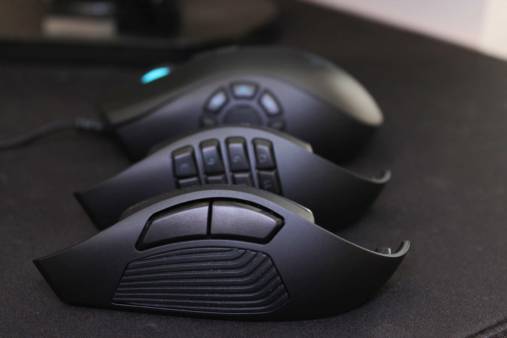
The original Naga Hex from Razer was a mouse that was like no other; it featured a plethora of buttons on the left hand side of the mouse instead of the usual two buttons. This mouse would be known as the mouse for MMOs and be pushed heavily as such.

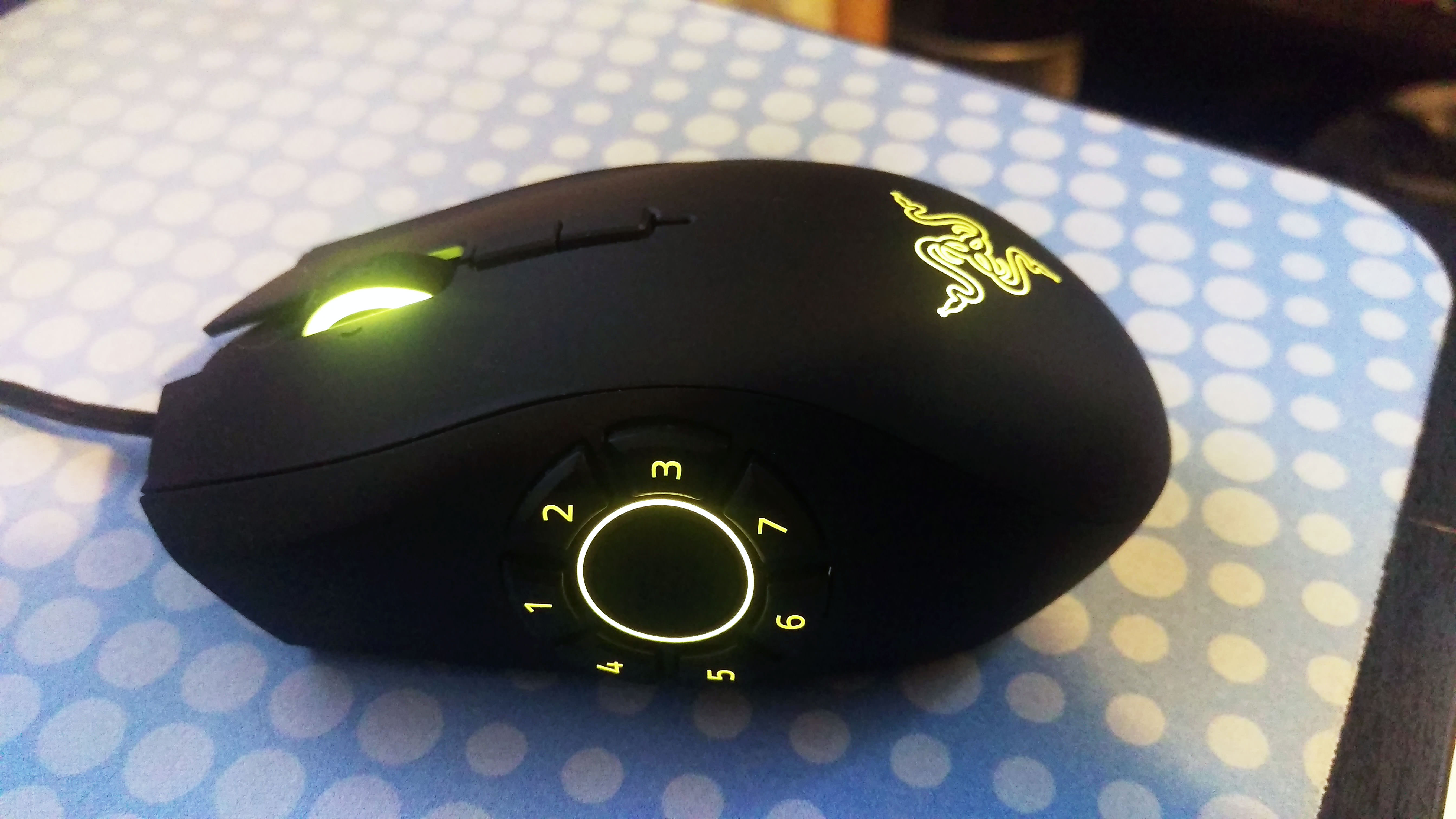
The Hex v2 is pretty much the same as Razer’s original Naga but they have swapped out the twelve button 4×3 grid for a seven button wheel with a thumb rest in the middle. The Naga could often be quite a complex mouse to master, so the Naga Hex v2 is a nice middle ground to ease yourself into a mouse with a mass load of buttons at your disposal. Supposedly intended for the MOBA scene, the reduced button configuration looks like it is aimed at the genre which is similar to MMOs but usually requires less abilities to be used from the keyboard, thus less buttons on the mouse.

When it comes to design, the Naga Hex v2’s body shape is identical the latest version of the Naga, the Naga Chroma. It features the bulky, more heavyset style which is favoured for better controlled grip. Like a lot of gaming mice on the market, it is designed for right handed gamers (sorry lefties) with the “hex” wheel on the left side and only comes in a wired option with no wireless version available or announced.

On the right side, there is a ledge that allows you to rest your ring finger on, with other designs in Razer’s catalogue usually sloping straight off. From a comfort point of view, the ledge works nicely at supporting your unused fingers. As a whole the Hex v2 is comfortable with your hand naturally resting with curved matte black design and the ledge for your fingers, but only if you normally use a palm grip. Claw grippers might not get along with the mouse as it is designed for your thumb to readily near the wheel, where the weight of your palm is on the rest of the body. As claw grippers only use the tips of their fingers, you won’t be in the best position to use the wheel.

The usual buttons are found in the places you would expect. The scroll wheel is 4-way directional which is clickable horizontally and directly underneath are two more smaller buttons set up as the DPI switcher. On the opposing side to the wheel there are no buttons, which makes sense when you need stability on that side to be able to use the wheel properly. With 7 buttons, you may be thinking the Naga should not be called the Hex, but I am guessing Razer’s marketing team decided the Naga Hept or Heptagon probably did not sound as sexy.
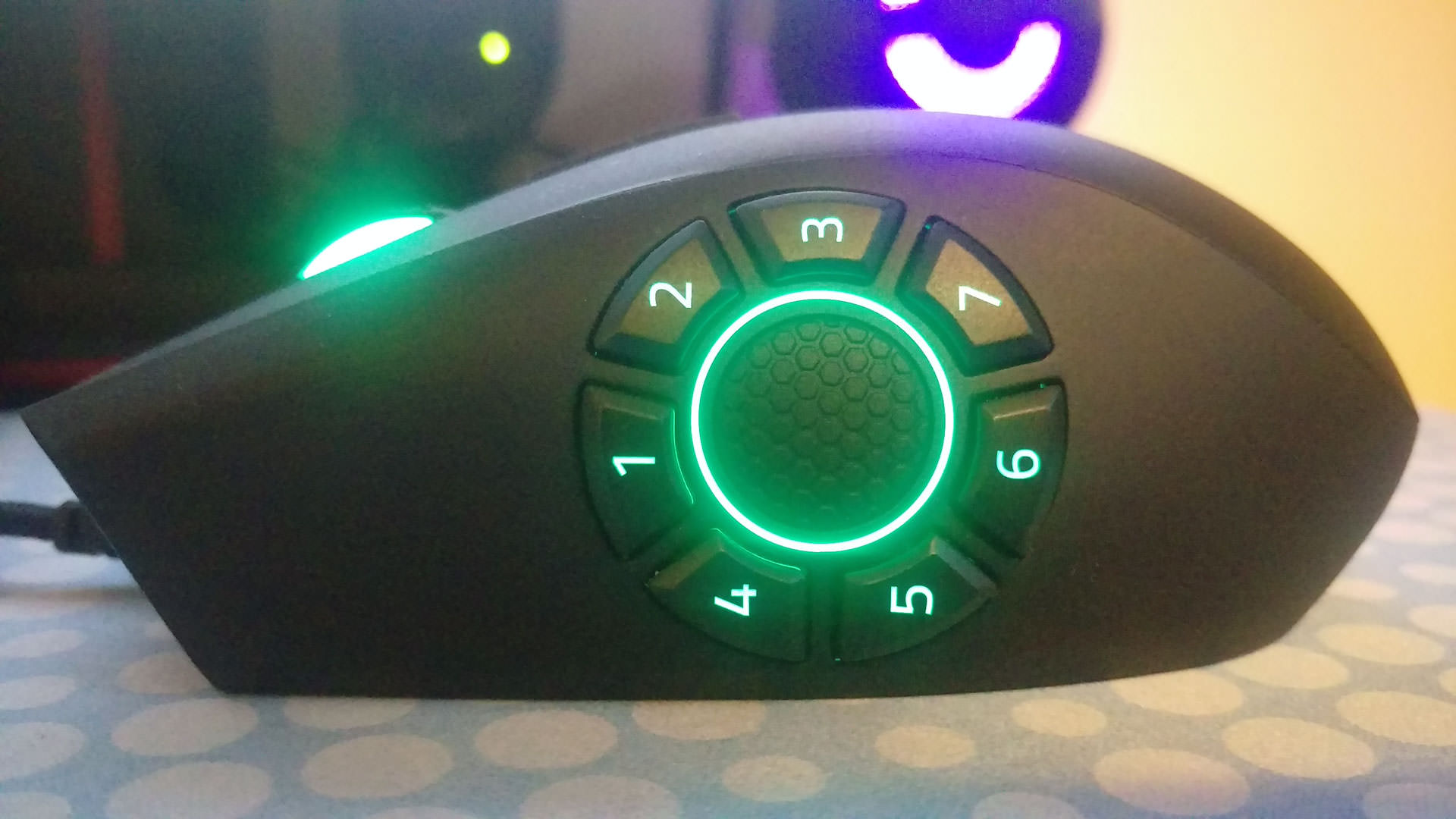
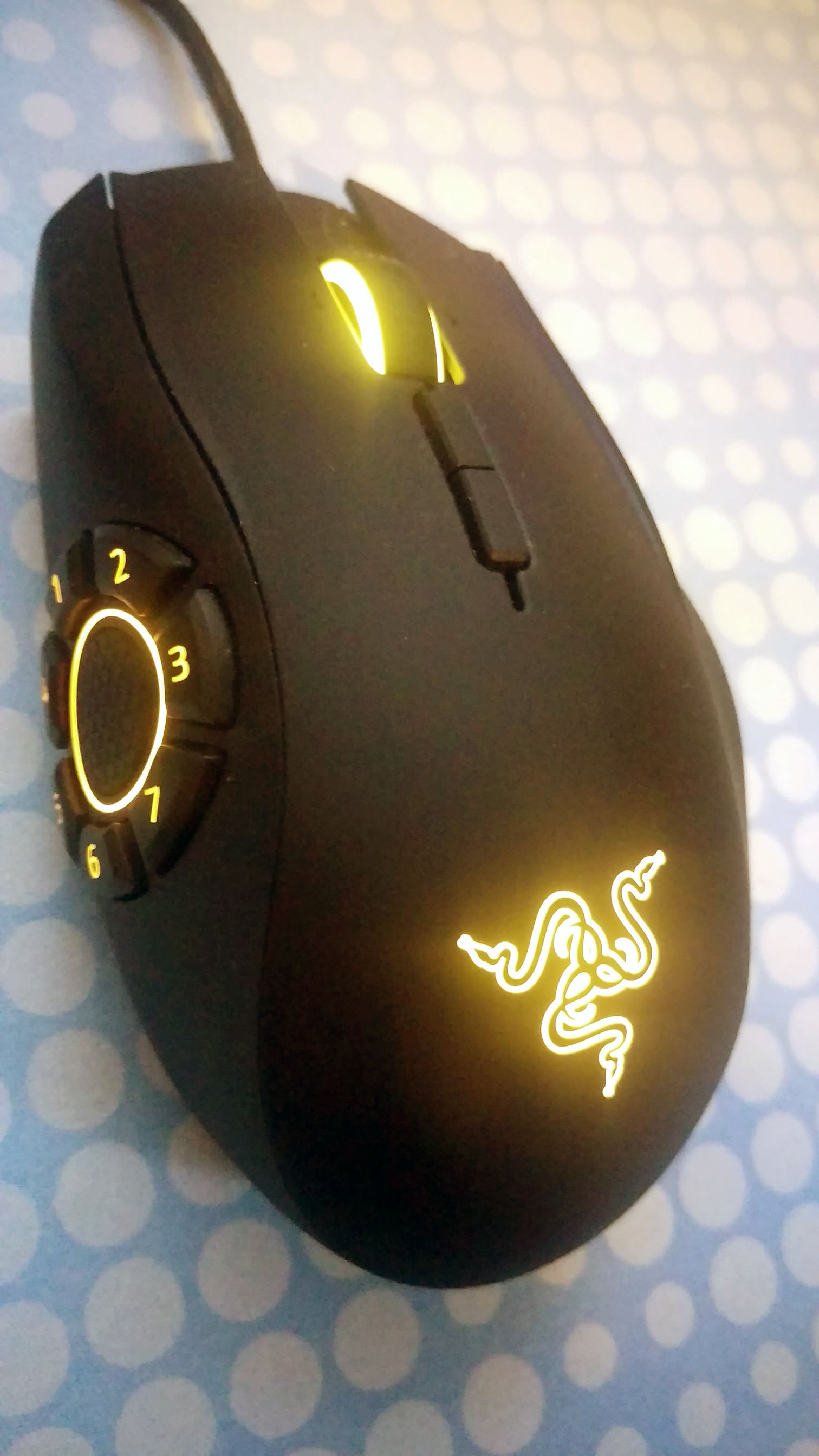
Layout on the hex wheel is actually numbered 1,2,3 on the top and 4,5,6,7 on the button rather than around in chronological order. At first this might seem weird but actually makes a lot of sense when you get used to the design and see how you position your thumb. I personally found the wheel to be a little uncomfortable, the rest in the middle suggests that your thumb should always be placed there but as a gamer who has their thumb laying flat against the side of the mouse body, it would make my thumb cramp up if I rested it in the centre for too long. What this meant is that I only had real access to buttons 1, 2, 3, and 4 with the rest of them never being used. When I did try to use the thumb rest long term it made my hand feel unbalanced with the weight shifting from my index finger, losing pressure on the left click.

Claw grip gamers, or those which use a hybrid of claw and palm grip might find it a lot more intuitive than I did, but pure palm grippers might only end up using a couple of the buttons like I did depending on their personal grip style.

Like the other latest products under the hood, the v2 comes with their 16,000 DPI 5G laser with the ability to track 1dpi increments and a lift-off distance of 0.1mm. It allows tracking of 210 inches per second with 50g of acceleration and the usual 1ms response time with a max polling option of 1000Hz.

It weighs in at 135g which as mentioned is a heavier mouse than others on the market and is roughly 119 mm/4.68 in (Length) x 75 mm/2.95 in (Width) x 43 mm/1.69 in (Height). For those who also want to know, the USB cable is braided and measures 2.1 metres long which should be enough for most gamers. All the buttons are mechanical switches including those in the wheel which where co-produced with Omron.

Using the Naga Hex V2 for its intended games though was an interesting adventure. It makes sense that by freeing up buttons you would usually press with your left hand on the keyboard, you can have constant access to movement instead which require it more often.

Setting your favourite commands to the mouse is easy and by default are bound to their respective number key for example, 3 would press the number three on the keyboard. After a few hours of playtime, you can start to get the hang of the wheel’s layout but for me I always came back to not really using all seven buttons. The ones I did use though were extremely helpful in a pinch.

MOBA actions using the Hex v2 are pretty straightforward thanks to its design, some advanced players might want access to even more buttons and could jump ship back to the original Naga. For faster access however to enough buttons you should need in an MOBA, the Naga Hex v2 might just be perfect mouse for the genre.

What might work for one, can’t be said for all games though. Playing games like Battlefield 4 I found that I rarely used more than 3 buttons which were normally set to grenade, melee attack and throwing down ammo or health packs. In other genres the v2 feels much more cumbersome outside the targeted MOBA and MMO gamescape. This is due to the Naga Hex V2 being designed for a specific genre and means cutting some corners out of the equation for others such as shooters.

For standard computer tasks, it works like any other mouse and there is the option to bind the additional keys to macros for other programs but I rarely think anyone would be bothered to do so. I did have some fun setting some of the buttons, to the most used tasks in Photoshop and while it was functional, keyboard shortcuts still took priority in my mind.

Razer Synapse can still be a little buggy and Razer still do require you to have an internet connection and a user account to customise any of the settings so be prepared to sign up to use it. I also had problems with the program being flagged up as a cheat engine in games like Blade & Soul and crashes would happen more often than I liked when trying to update settings on the mouse. Synapse does have all the options you need and would expect of a gaming mouse such as DPI controls, lighting options, polling rates and profiles. The Chroma options are in place much like other Razer mice and offer a range of settings to tweak to get the exact colour and style you want.

Overall, the Razer Naga Hex v2 sits in the same line with their other products priced at £80 and uses the same laser anyway like the Mamba TE or DiamondBack. The biggest difference is the need for the hex wheel which is specially designed for MOBA titles and does exactly what is needed. If you are a hardcore League of Legends or Heroes or the Storm player and need a new mouse, check this one out. If you are just looking for a more universal gaming mouse Razer do many others which are better suited.

8
The Naga Hex v2 is a good mouse that is perfectly designed for MOBAs, outside this genre and MMOs though, you are better off opting for another Razer product that is a little more universal.

Filed under: Razer Razer Naga Hex Razer Naga Hex V2

Razer Release First Xbox One Keyboard & Mouse, Razer Turret
Razer Deals and Discount Codes July 2018
Razer Abyssus Essential Gaming Mouse Review
Razer Abyssus Essential Completes the Razer Entry-level Line
Razer Essentials Collection Review
Razer Hammerhead USB Type-C In-Ear Headphones Review
Razer Electra V2 Analog Gaming Headset Review
Razer Cynosa Chroma Gaming Keyboard Review
Razer Naga Trinity Gaming Mouse Review
Razer Celebrates SKT T1 with Licensed Mouse & Mouse Mat
Powered by Magic
  • VGU
  • Platforms
  • Features
  • Reviews
  • Games

© 2025 VGU.

Insert/edit link

Enter the destination URL

Or link to existing content

    No search term specified. Showing recent items. Search or use up and down arrow keys to select an item.