×
  • News
  • Reviews
  • Guides
  • Features
  • Videos
  • News
  • Reviews
  • Guides
  • Features
  • Videos
Log in / Register
HARDWARE REVIEW

HTC One M9 Review

by Luke Walsh, October 8th, 2015

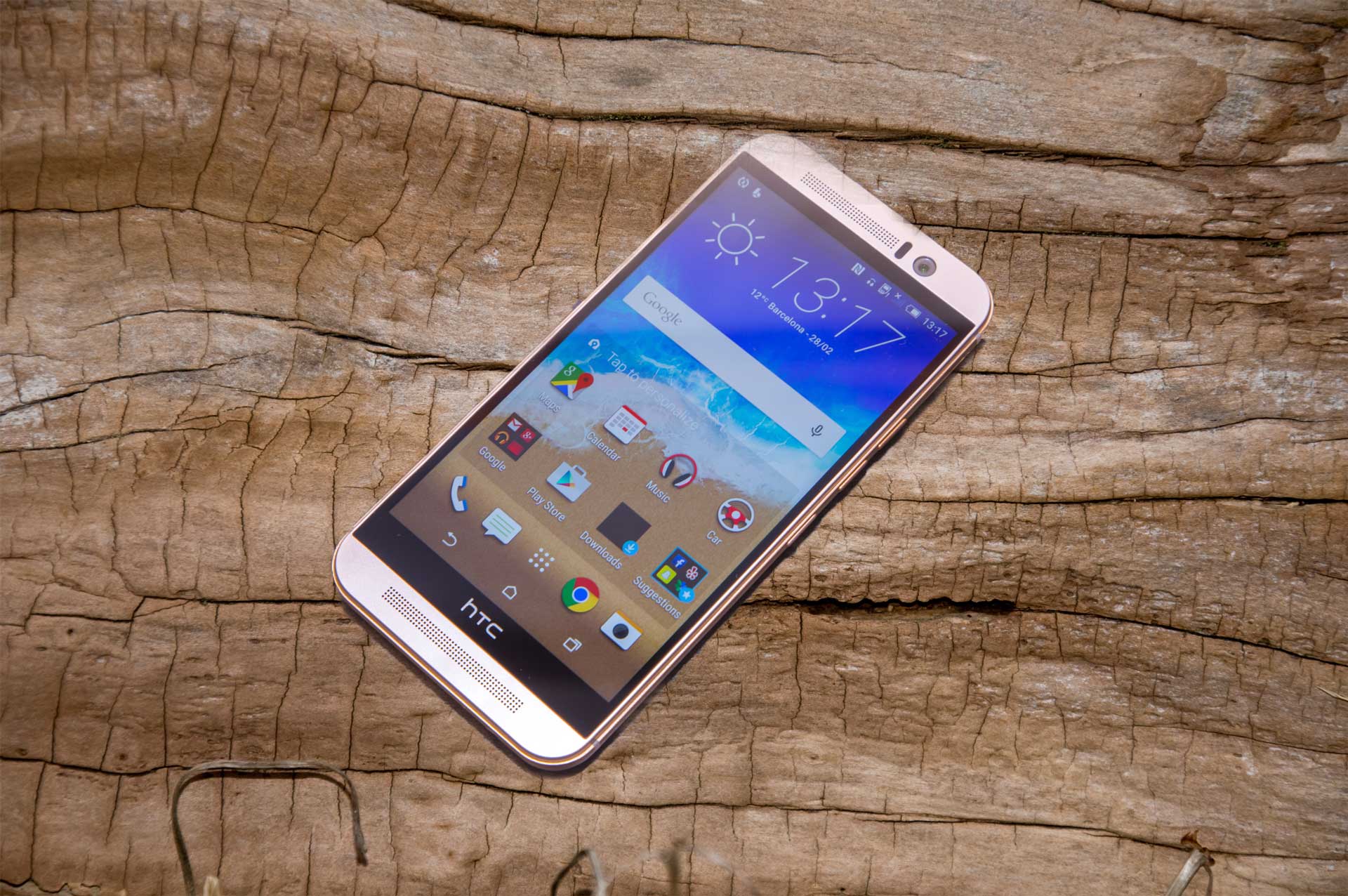
The HTC One M9 is a nice looking phone. Smooth curves and precision on its full metal casing push the quality and premium feel that HTC are trying to establish. It is this quality that HTC hopes will persuade customers to step away from Samsung and Apple. Ultimately though, does the HTC One M9 do more than just look good?

Right off the bat, HTC have improved some of the internals from their predecessor the HTC One M8. Featuring a 20 megapixel camera, Snapdragon 810 MSM8994 processor and nearly 1GB more ram totalling at 3072MB with the Adreno 430 graphics chip. The big jump in camera specs makes sense when trying to battle with Apple and Samsung, as standard they have decent cameras and HTC just had to catch up.

Along with the internals the M9 has been integrated with Dolby’s BoomSound experience, which makes it louder and clearer. With all the new parts, the phone comes at a pretty steep price of £529.99 sim-free, but is the norm these days with high end smartphones.

The improved design, feel and internals is obviously the cause of the increased the price point of the phone and its good to see that unlike other phone brands, they have kept the additional storage options.

The Build

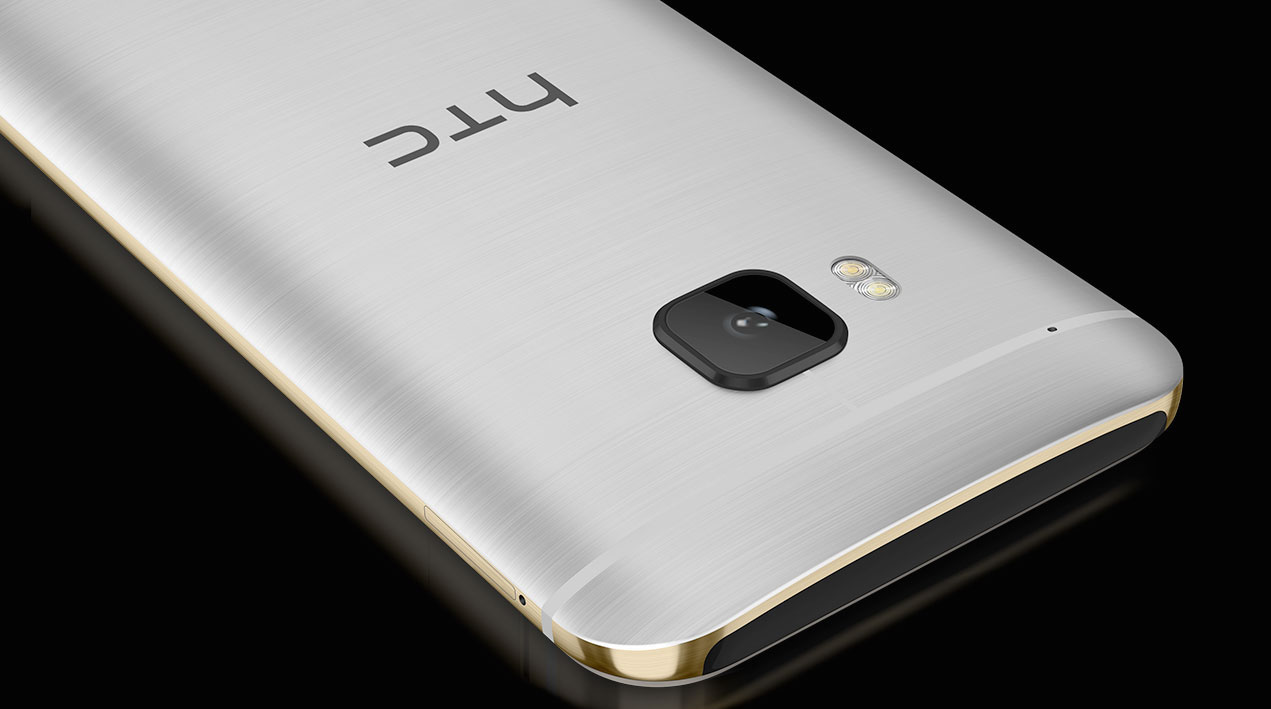
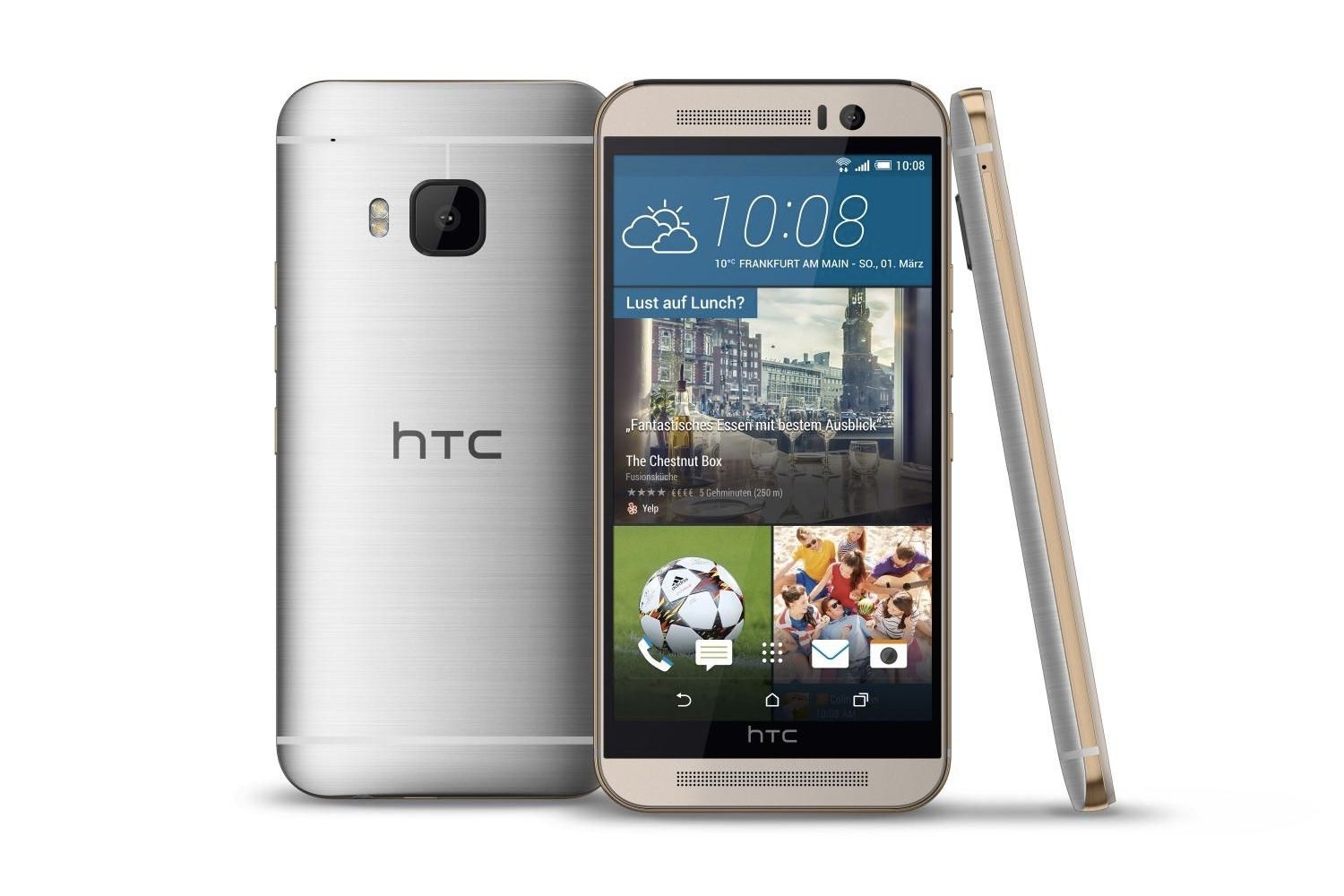
One of the best part of the M9 is just the way it looks and feels. The craftsmanship in the phone is an impressive feat of engineering to make it feel very premium and bulletproof (not that I would test this). The screen is wrapped in an all in one aluminium fascia – the one I have is the two tone version of silver and gold, with subtle curves. If you don’t have the silver and gold version any version of the phone is going to feel nice to hold, which is made a little easier with a slight lip around the phone.

Even with the metal, the phone is a reasonable 157 grams which is improved over the M8 which was 160 grams. It may be heavier than some of the competitor smartphones on the market but it is definitely a welcomed trade off for the improved metal finish.

All the controls are found on the right hand side of the phone, volume controls and the power button also sits here. This can be a problem and was for me when using in-car holders as the pressure can switch the phone off. The position however is more natural when your holding it in your hand, though the power button being the same size as the volume buttons can make it hard to distinguish what is what without looking.

Also on the right side is the SD holder, which should not be mistaken for the sim card slot which looks the same but on the left side. It is a neat design which mimics the iPhone and creates a sleek finish. You will need a pin or the tool if you ever need to change or take out either the sim or memory card but given how often most people don’t need to, it should not be an issue.

The M9’s design is pretty on point, it is sturdy and has a great two tone finish with a nice weight that can’t be found in other phones without being too heavy. Even with the sturdy design it is still a phone that would be better in a case to prevent dents and scratches. With the metal finish the phone has little traction and can slip out of pockets pretty easy which happened on more than one occasion.

The Screen

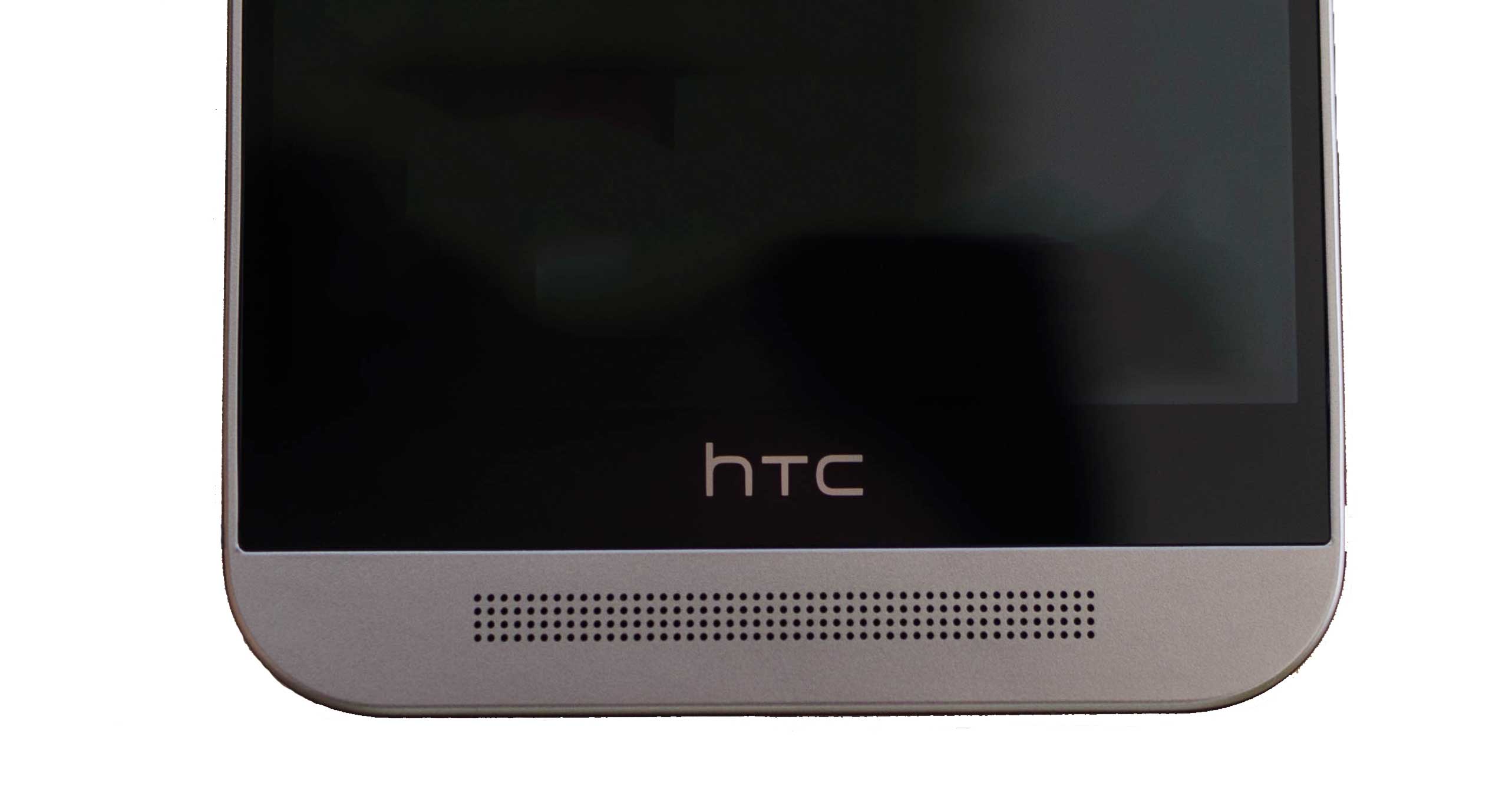
HTC have kept the same screen size as the M8 at 5 inches but have reduced the amount of space between the screen and fascia. There is a lot of potential screen space that could still be of use on the outside but inside it is housing the two speakers which sits under the HTC logo.

The screen resolution is 1080p which is the same as the M8 which is not surprising considering it is the exact same screen. Pixel density of the phone sits at 441 ppi which is respectable and enables a sharp display that stands up against the other screens on the market even when they are sticking Quad-HD displays for no real benefit.

Back lighting on the M9 is good but does not seem as bright as some other phones I have tested. When set to auto brightness the screen is normally darker than it should be and leaves the screen feeling less saturated and brings down the overall look of the display.

Compared to other phones on the market it is smaller than an average, seen as others are starting from 5.1 inches upwards into 6 and 7 inches, “the Phablet”. Fair play to HTC though, 5 inches is a good size for this phone and sits in the hand nicely without feeling too small. Coupled with the with the curved back, the screen is tuned to be used with one hand. If you are used to a Phablet though, going back to a smaller screen can be a hard transition.

The Audio

Audio on phones is normally a pitfall, being a small device they never truly bring those epic sounds you want with you music or videos. This is where HTC have tried to change the trend with the Dolby BoomSound speakers.

With the BoomSound, the HTC One M9 is able to produce three dimensional audio, this is true through the phone speakers and virtually using headphones. With two different modes ‘Theatre’ and ‘Music’ you can tweak the sound output to produce the best sound for the type of audio you are listening to. In essense, music mode makes the audio clearer and a bit louder with theatre making things seems a deeper.

Compared to other phones in the same price range it does stand above other with the volume and for a phone it has more bass bringing music to a new level on a phone without the need for an external speaker.

If you want to get more out of the M9 you can also get the specialised range of earphones that take advantage of the extra power and settings.

The Camera

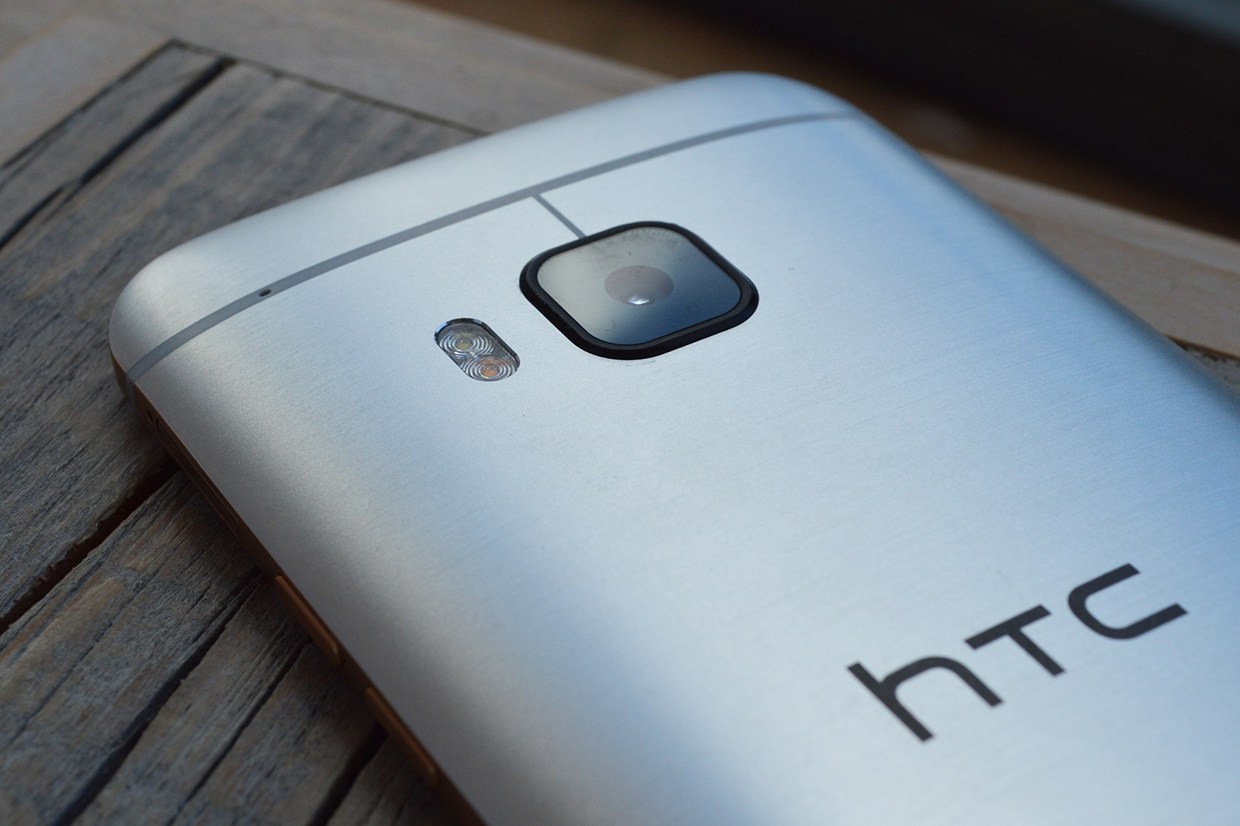
One of the biggest improvement of the HTC One M9 over the M8 is the camera, moving into the 20.7 mega-pixel territory for the rear camera. The previous 4 megapixel lens makes an appearance but this time on the front of the M9, giving the selfie loving people a decent front facing camera. A beauty option also exists which in real-time Photoshops your face to make you look smooth all over.

The camera in natural light produces rich photos but the colours could be a better, when comparing it to phones in the same price range, the photos don’t seem as accurate. In low light conditions the phone is let down by noisy photos. There are options including a night mode, but it just aggressively turns up the brightness and the RAW option allows you to control the exposure, and other settings but you would need a tripod to get a clear photo.

When the flash is used it does the job, it does not seem as bright as other phones (such as when using it as a torch) but lights up the shot in the dark. It does come at the expense of everything looking washed out but that comes with most phone cameras.

Coming back to the RAW mode, it allows you to control all the standard settings you would find on a digital camera; white balance, ISO, aperture and focus etc. For a camera enthusiast or someone wanting to control every little detail you will enjoy the RAW mode. How practical this is in execution was yet to be seen, even playing about with the RAW’s settings it was never really needed when the auto does the job quicker. Manual focus was probably the best option as it allowed you to really get the detail you wanted on those closer shots.

Overall there seemed to be a lack of camera choices, with other phones you have a variety of different settings from Panaroma, 3D photos and more but with HTC they have the bare minimum. For someone wanting to have their camera mainly on their phone, you might not like the minimalistic approach to the camera effects. There is an option to download more but at the moment they are nothing to be shouted about as there are only two extra options.

One thing I noticed about the camera is the time it takes to load, on a phone which boasts about having multiple cores it was just extremely slow. 4 to 5 seconds seemed to be the average time it took to be able to take a picture. If you are hoping to capture those spontaneous moments you will have to anticipate life’s magic moments with the HTC One M9 to load the camera in time.

The Battery

The battery life on the M9 from the outset seems good when compared to the Samsung Note 3 that I was using before, even with a newly replaced battery the M9 seems to last longer. There was the feeling though that the phone on standby could of lasted months but as soon as you wanted to play a game or use Facebook more extensively, the battery life started to drain quite rapidly.

Using power saving had become a constant occurrence when out and about or at work. When on normal the battery did not seem to want to last the day at the normal level of power output from the processor and other components. I did not try the previous M8 but can imagine that battery level has been an issue for some time and their response has been to stick a bigger 2840mAh battery.

Looking at battery usage the main drainer is the Google Play services which works on updating Google services. Researching around this is an issue with early adoption of the software. Much like Apple and Samsung, updates could improve the battery life but until it is done, the battery will drain fairly quickly without power saving on. Testing this, the battery on a normal day lasted about 11 hours. This included some Facebook browsing, playing Fallout Shelter for about 20 minutes and the usual emails and notifications popping up. Comparing this to other phones and their lasting power it seems a little short and something HTC should definitely work on from a software level.

If you do need a couple extra hours of talk time then there is an option to enter extreme power saving mode. On the surface this gives you a very simple interface, only allowing you access to the bare minimal of functions. Phone, messages, mail, calculator and calender are the options you have available and when the screen is off mobile data will be turned off, saving every morsel of power.

Honestly, unless you’re in a major emergency I can not see you using the option as the normal power saving mode works well and does well at saving the battery while still being able to use phone normally.

The Software

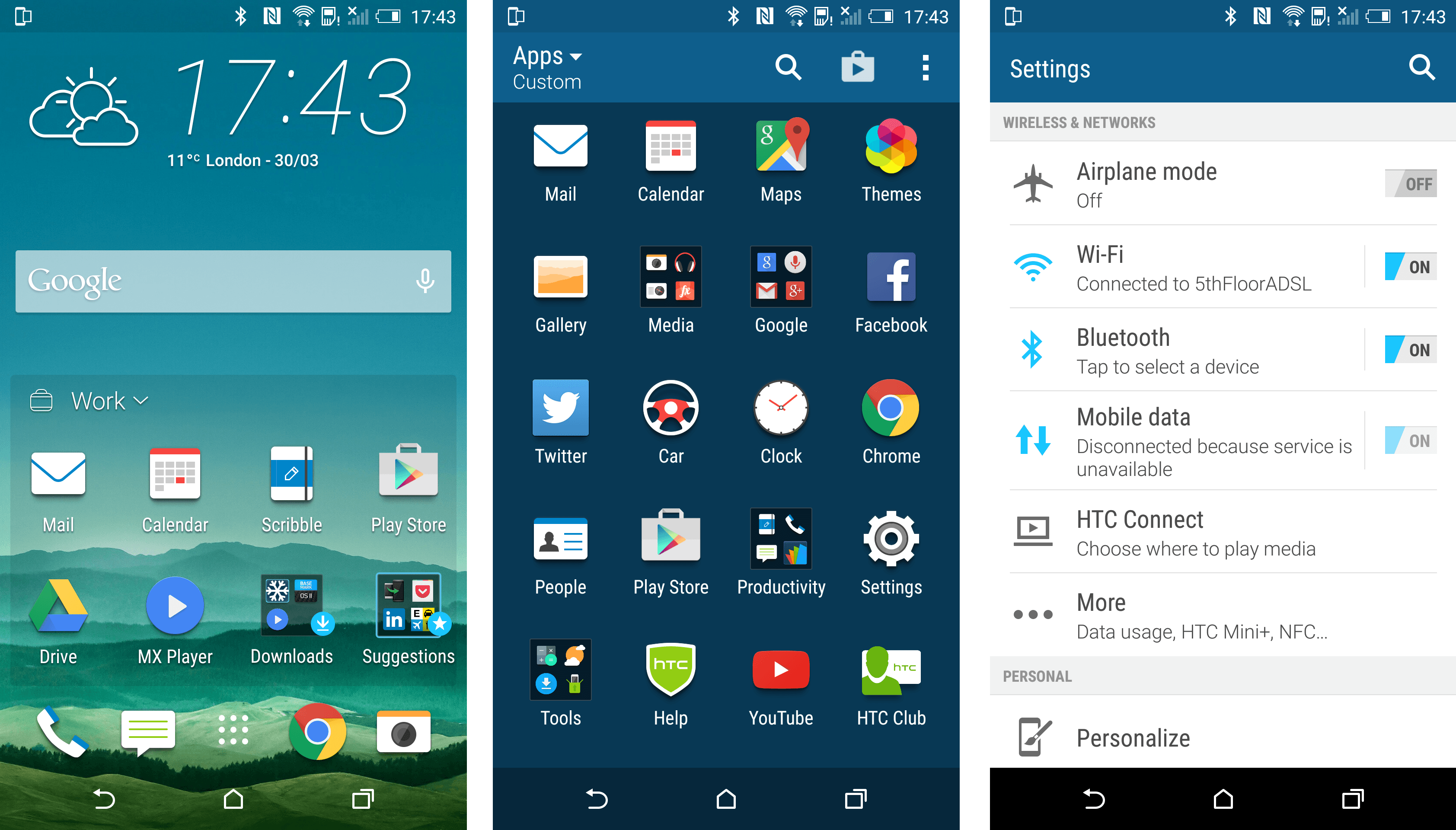
The Sense is HTC’s adapted version of the Android home screen and compared to the main competitors stands out above the rest. It has been refined and tweak to produce a powerful and quick UI that just works.

It does have the issue of being a bit click heavy when trying to do certain actions other phones would do faster. These can be things such as creating new home pages, folders or rearranging apps. All these functions are buried within other menus that were hard to find in the first week of playing with the phone. Being compared to other phones the UI is quick but does take some time to learn which could be off putting for people familiar with a simpler interface.

What works, does work well and that is the general use of the software. Each tap or swipe is very alert, everything is smooth and quick but does get bogged down sometimes when you are multi-tasking between many different apps. This could be thanks to the Snapdragon 810 chip which packs a decent punch but is being throttled at times. Testing out the overall quickness between the iPhone 6 and Note 5 the HTC One M9 did feel just a little bit less responsive but was not something that you would notice unless you had the others to hand.

Signal on the phone is impressive (based on O2), not in many places would I have no connection at all, which could not be said for other phones I have tried. Considering the phone is all metal, somehow HTC has managed to create a way of getting the signal through the phone on an impressive level. This meant that calls were of great clarity and quality, something easily noticed over other phones.

Notifications

The lock screen features notifications are handy for quick glances of updates to information. They can be swiped away if you don’t want them or tapped to bring up the app in question which is nice. HTC have also worked with Google to make sure cards on Google Now show up as notifications also embedding the Google app directly into the main home software.

In the pull down menu, you will be able to see all notifications. A second pull down will also bring up your quick bar that allows access to WiFi, Bluetooth and other settings that you could use regularly without having to root around in the main settings. The pull down can get quite busy but a simple press on the X will remove all current notifications which can be a quick cleanse of too much information.

Tied together, it makes a useful notification system which you can use however suits your needs. The integration of the Google cards is great if you have set it up and if you don’t want to be bombarded you can change how notifications are displayed on individual apps, including turning them off.

Sense Home

Sense Home is an interesting integration into the M9 and something which you will either love or hate. It is a live section of the home screen which shows you the apps you use most in different situations and can be tied to locations.

Broken down between Home, Work and Out it uses the GPS and other tricks to clearly show you the apps you use in those situations. It works well being able to give you the apps you are most likely to use say at work like Facebook or at Home such as your Kindle App. You can also manually add apps to the Sense Home and create folders within it that further expand the customisation to match exactly how you want your best apps to be displayed. This was great in the morning, on the train with Sense Home changing with easier access to the newspaper app and Twitter.

Personally, it was a great addition to the M9 being able to select the news app easily on the way to work but not having to worry about the Facebook and social media icons at home were great. It’s worth mentioning that the system is automated, so be careful what you use the most as it could end up front and centre.

Keyboard

A big let down on the M9 is the keyboard. I just did not get along with it at all, the accuracy of the buttons did not seem to be great. More often than not I found myself pressing the wrong key as the spacing between them in minimal.

Word prediction is also off, most of the time the next word you wanted to use was incorrect and when you started to use your own language it would pick up the wrong words or ones you previously misspelled.

My first action to M9 owners would be to download a different keyboard. As with my previous phone the Google Keyboard is a good replacement and something that I am still using with the M9.

Performance
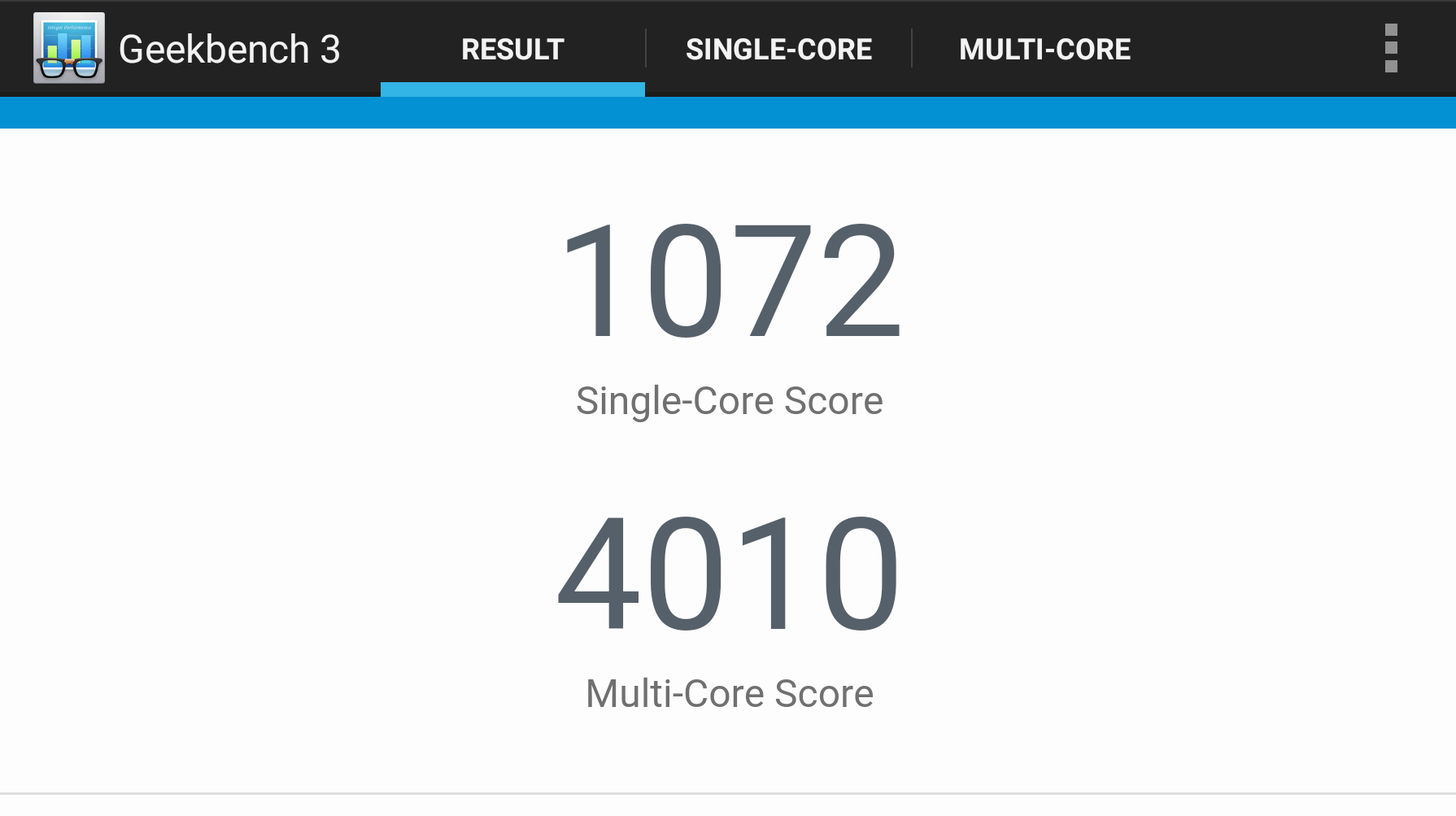
Screenshot (6 Oct 2015 20-30-30)

Like with a lot of high end phones, the HTC One M9 is a powerful phone. Testing the phones using GeekBench 3 the scores were high with impressive scores as you can see in the screenshot above. As mentioned previously, the M9 has been throttled to reduce the heat coming from the components, so it is not a true all purpose score but all phones have similar limits or you’d be holding some hot metal.

Even with the power limits the HTC One is still a great phone to use for gaming and trying it with the Fallout Shelter and March of Empires it was definitely faster to load and nicer to play compared to my previous phone.

Themes

One of the small parts of the phone with a big impact is the themes. You can really customise how you want the phone to look by changing the colours of the menus and each variation of the colour scheme. Want a bright pink system? You got it. What might seem as a small part of the phone really gives you the option to make it your own and include the background options you have your own little home in a phone.
The Other Bits

The one thing I was worried about that most new smartphones have is the heat issues. The smaller phones get, the more they try to pack better components, the stronger the heat issues become and how to disperse the heat generated from said components. With the M9 the heat was only really an issue when pushing the phone such as downloading files, playing games for long periods of time or watching videos.

Though the heating up was obvious when it did happen, it was so far between that it was never really noticed and cooled down quite quickly once you stopped what was causing the heat in the first place. Overcoming the heat can be as simple as putting it in a case, with an added bonus of protection.

It can be tough to find a stand out phone in a market that is getting quite saturated and the HTC One M9 does not really offer anything new to the market. What it does do though is create a phone that is beautifully crafted. Even though there are many strong competitors such as Apple, Samsung and LG the M9 is one of the nicest phones you can have in your hand and use.

The full metal casing has been designed over many iterations from the previous models to come to a point where it stands above a lot of phones in the market. Along with the BoomSpeaker that has great audio and the internals, the phone has some of the best hardware around. The camera is one of the downsides to the M9 but if you are not an avid photographer it shouldn’t be the reason not to get the phone. Overall the HTC One M9 is a great phone that is well made and has the hardware to back it up, it does not bring anything new to the smartphone market but is refined and you won’t regret the purchase.

8
A beautifully crafted device with great internals that is only let down by a poor camera but that should not be the only reason not to purchase the HTC One M9.

Filed under: HTC mobile Tech

ASUS Announces All New Smartphone ZenFone 6
ASUS ZenFone 5Z Joins the Android Q Beta Program
King Launches Jewellery Game ‘Diamond Diaries Saga’ Mobile Game
Google Pixel 2 and Pixel 2 XL Tips and Tricks
Google Pixel 2 XL Review
Candy Crush Saga Celebrates 5th Anniversary With Special Booster
Razer Phone Release Date, News and Rumors
Bubble Witch Saga 3 Filter Comes to Snapchat After Playing With Friends
Animal Crossing Mobile Direct Coming This Wednesday
HTC Vive Drops Price to £599
Powered by Magic
  • VGU
  • Platforms
  • Features
  • Reviews
  • Games

© 2025 VGU.

Insert/edit link

Enter the destination URL

Or link to existing content

    No search term specified. Showing recent items. Search or use up and down arrow keys to select an item.