×
  • News
  • Reviews
  • Guides
  • Features
  • Videos
  • News
  • Reviews
  • Guides
  • Features
  • Videos
Log in / Register
HARDWARE REVIEW

Alienware AW768 Gaming Keyboard Review

by Luke Walsh, November 21st, 2017

Alienware has released a lot of new gear recently, with their Alienware Aurora R6 gaming desktop PC and their Alienware 17 R4 gaming laptop. New to the mix though is a range of gaming peripherals that are looking to compete against companies like Razer, SteelSeries and ROCCAT. As they usually provide some mega powerful gear for gamers who either do not like or know how to build their own gaming PCs, will our review of the Alienware AW768 keyboard stand up to this previous powerhouse performance?

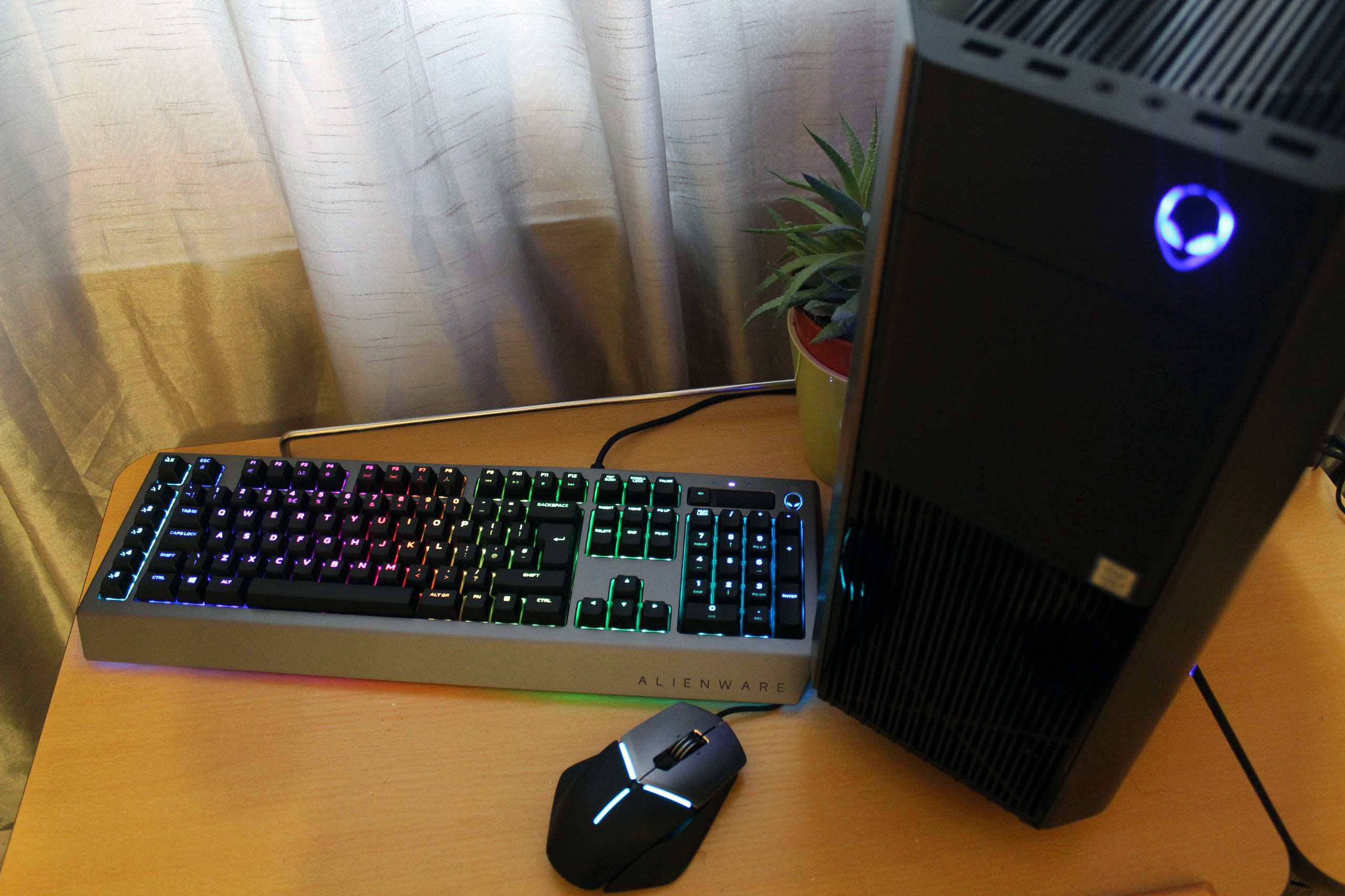
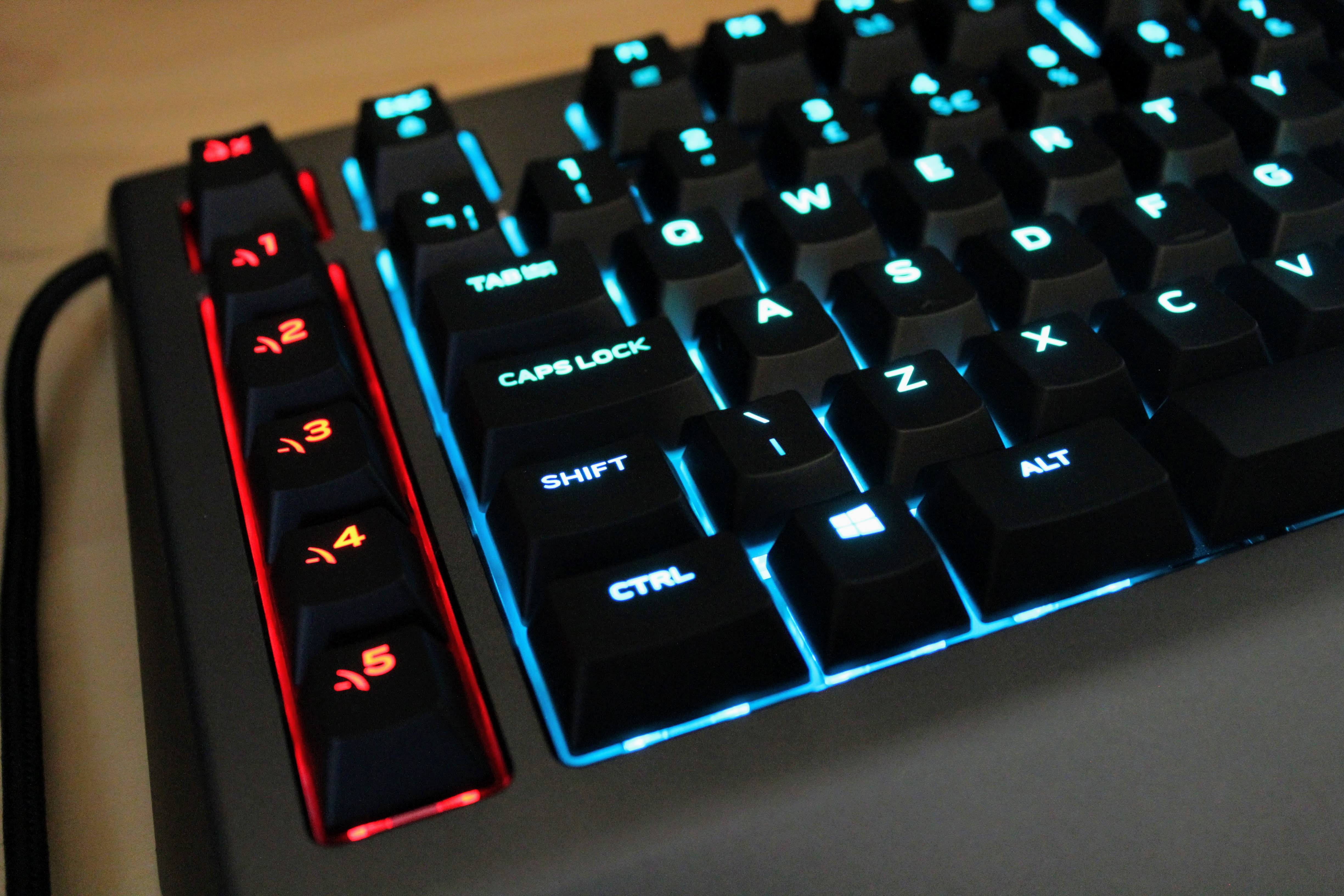
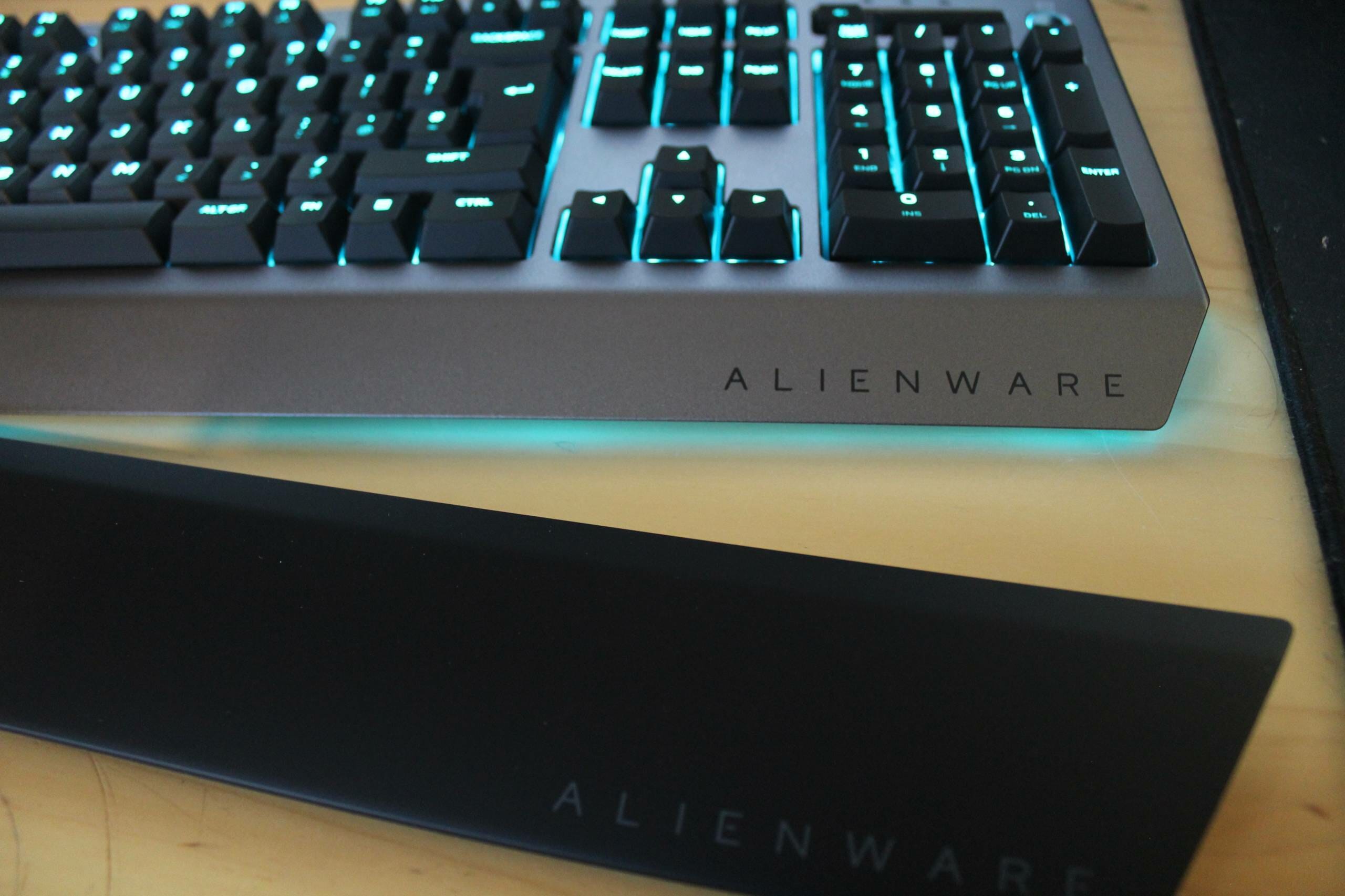
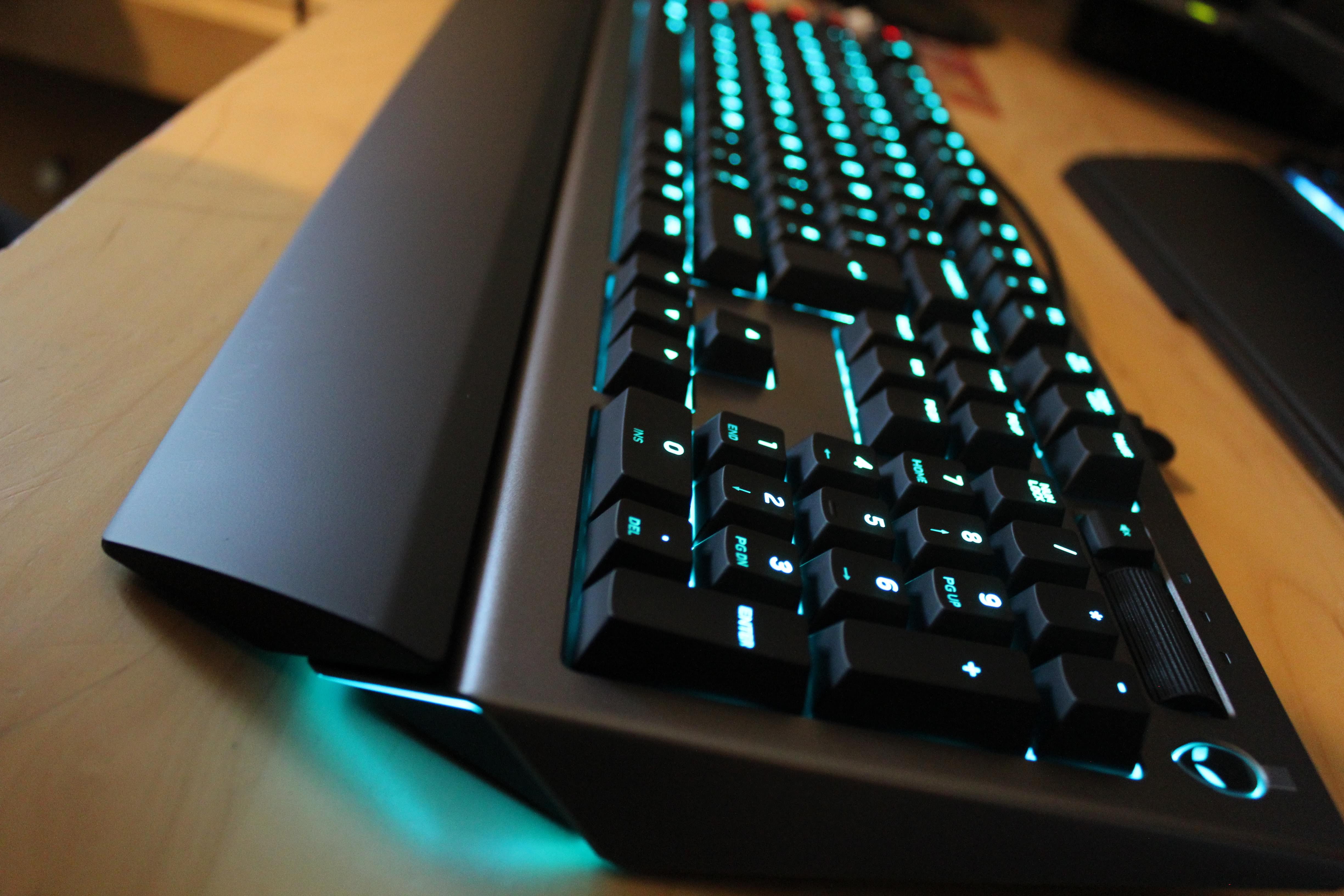
As far as keyboards go the AW768 is a pretty large keyboard compared to for example the Razer Ornata but it measures up quite closely with the BlackWidow Chroma V2. It does have a little bit of extra love on the sides with a triangular design which is probably meant to match their other products in style. It gives the keyboard a little bit of a different look but does add some space but part of this space is used by the macro keys.

Kailh brown switches are what’s underneath the keys of the AW768 and are similar to Cherry MX Brown. Depending on your allegiance to Cherry MX switches you might not like the fact Alienware have moved away from them. Razer has done so, creating their own Green switches and although Alienware have not, these Kailh switches are a good brown alternative albeit a cheaper overall price. Like other brown switches, these are quiet but tactile with a fairly decent actuation point of 2mm, roughly about half the length of the key.
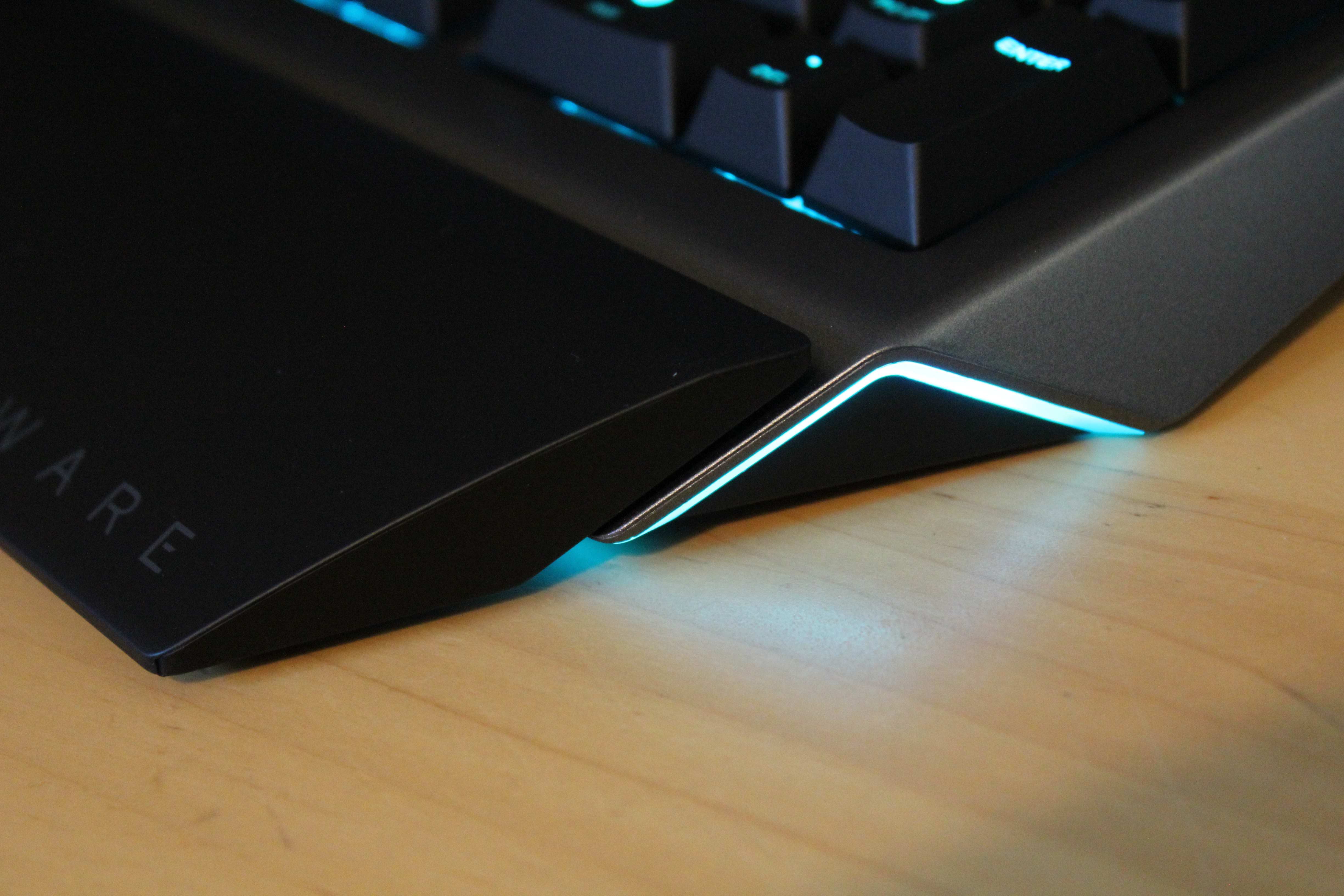
On the underside of the keyboard is a faint RGB light which travels around the side and along the edge of the where the wrist support would be. Sadly, the light is dimmer than I expected but if you do decide to purchase the additional wrist support, you won’t be able to see the lighting anyway. Typing on the keys are okay, they do feel different to the Cherry MX’s but not something a casual gamer would notice or someone whose first gaming keyboard is the AW768.

I do prefer the brown switches over all others for their quietness (hence why I have a mechanical membrane keyboard as my main) and are more for typing but pro gamers will lean more towards Red/Blacks as they are more tactile/clicky. There was something a little different about the Kailh switches compared to the Cherry MX’s. This is probably down to them being more imitation switches to the MX’s, there are a few out there some terrible, but Kailh browns are probably the closest to the “real” thing depending on how much of a purist you are. Cost though is a big factor and anything with MX’s in is going to bump up the price more than the ones sitting inside the Alienware AW768.

Like every other keyboard, you need to use proprietary software created and maintained by Alienware. The software is okay but it does need some work before it is on the same level as the SteelSeries Engine or Synapse. You can program each key on the keyboard but need to use macros to do so, you can also program the dedicated macro keys but can record your macros on the fly, rather having to set them up beforehand.

Lighting can also be controlled with the usual array of different effects from the rainbow to breathing etc but the strip on the underneath and the Alienware logo. Lighting is not individual like a lot of other gaming keyboards, so instead of colour coding, each key lighting zones can be configured. Probably another cost-saving measure as dedicated RGB lighting costs much more than wiring up entire groups of keys.

There is a volume key and mute button but not a set of dedicated media controls, Game Mode is also included which disables the Windows key helping you not Alt/Tab out of a game accidentally. Aside from that you also gain a set of macro keys down the left-hand-side and a macro recording key which can be set up as you wish.

Somewhat of a relief, the additional macro keys are positioned far enough away you won’t accidentally press them. It is usually a bugbear of mine when other keyboards put them so close to the other keys you press them instead of Shift etc.

Of course small niggles aside, a gaming keyboard taking away all the lights, bells and whistles needs to hold up in games and the Alienware AW768 does perfectly fine. For a bigger mechanical keyboard, it was able to keep up with a wide selection of games from Fallout 4, BioShock 2 (fancied a change up from BioShock Infinite), Guild Wars 2, Battlefield 1 and Overwatch. It made total sense to play the games on the Aurora R6 as these were being reviewed at similar times, and I must admit they go well together in style.

Jumping around and shooting in Overwatch were all responsive, I am a big fan of the flick and grab with Roadhog’s hook and Kailh Brown switches kept up. Inside Battlefield 1 playing as a Sniper was possible being able to keep my keys pressed just before the ‘click’ ready to move once I have fired from the position. Inside Guild Wars 2 though, the macro recording is easy enough, having tried to set some up before PvP it was easier to adjust to the enemies plays as I did not need to minimise the game to record a new set. On-the-fly recording makes a big difference to MMO players and the AW768 works fine.

Playing the other games like BioShock 2 again was responsive and pretty quiet, something I tend to go for in mechanical keyboards as the constant load clicking can get annoying for teammates. Every game tested worked as you would expect for a £95.99 keyboard.

Overall, the Alienware AW568 gaming keyboard would not be bad for a first time set up or for someone looking for a full-sized keyboard with Brown switches for less than £150 what it would normally cost. It does not blow your socks off with top notch everything but will get you by in-game and keep up with your manoeuvres. If you are an MMO player though you might want a more dedicated gaming keyboard.

Also not sure why the wrist wrest comes as a separate £13 extra when most gaming keyboards will throw them in as an extra for free. It could be to reduce the price even further by making it an optional but given the slant of most keyboards, it is needed practically. It was a tough choice scoring this either a 6 or 7, ultimately the score was decided by the in-game performance. It may not be the top of the range but performs well for the price you’ll pay to pick one up.

7
The Alienware AW568 is a fair gaming keyboard but there are better ones out there for just £15-20 more. If you get the AW568 bundled with an Alienware set up it's worth keeping or if you are looking at getting better peripherals and have a smaller budget.

Filed under: alienware Alienware AW568 Gaming Keyboard hardware hardware review

noblechairs X Marvel collab on a Iron Man themed gaming chair
SecretLab Release ‘Gold Standard’ Of Gaming Chairs, 2020 Series
Nitro Concepts S300 EX Gaming Chair Review
ASUS Announces All New Smartphone ZenFone 6
Noblechairs Hero Series Gaming Chair Review
ROCCAT Releases Taito Control and Sense Vital Force Wide Mousemats
Roccat Khan AIMO Gaming Headset Review
BenQ PD2700U 27-inch UHD Designer Monitor Review
Roccat Kone Pure Champion Grade Gaming Mouse Review
LucidSound LS25 Esport Gaming Headset Review
Powered by Magic
  • VGU
  • Platforms
  • Features
  • Reviews
  • Games

© 2025 VGU.

Insert/edit link

Enter the destination URL

Or link to existing content

    No search term specified. Showing recent items. Search or use up and down arrow keys to select an item.